
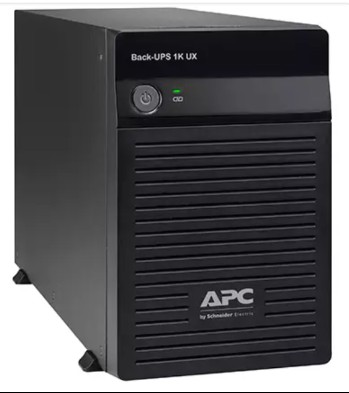
Most people never think about their UPS battery until the day it fails — usually during a monsoon power cut or a summer load-shedding stretch. But here’s the thing: an APC UPS battery has a fairly predictable lifespan, and if you know how to read the clues, you can replace it before it lets you down (and before it damages the UPS electronics). This guide walks you through a simple 3-step check to figure out how old your battery really is, whether it needs replacing now, and how to match the correct RBC replacement cartridge to your specific APC model.

Step 1: Find the actual age of your battery
A UPS battery’s calendar age matters more than most people realise. Even if your UPS runs for only a few hours a day, the battery is chemically ageing 24×7. In Indian conditions — high ambient temperatures, dusty rooms, and frequent deep discharges during load-shedding — a typical sealed lead-acid (SLA) battery lasts 3 to 5 years.
Here’s how to establish the age:
- Check the manufacturing date on the battery itself. Open the battery compartment (UPS off and unplugged) and look for a date code stamped on the battery — often in MM/YY or a week/year format.
- Check when you bought the UPS. If you’ve never replaced the battery, its age equals the UPS age.
- Check your last replacement invoice. If you swapped in an RBC cartridge earlier, count from that date, not the UPS purchase date.
Rule of thumb: if the battery is over 3 years old in a warm Indian room, start planning a replacement — even if backup still “seems fine” today.
Step 2: Watch for the warning signs
Age alone isn’t the full story. Combine it with these real-world symptoms to decide urgency:
- Backup time has collapsed. If your UPS that once ran your PC for 15 minutes now dies in 2–3 minutes, the battery has lost most of its capacity.
- The “Replace Battery” LED or beeping. Many APC Back-UPS and Smart-UPS models flash a battery icon or emit periodic chirps when a self-test fails.
- UPS won’t hold load at all on outage — it cuts off instantly, meaning the battery can no longer supply current.
- Physical swelling or a bulged casing. This is a safety red flag — stop using it and replace immediately.
- The UPS runs a self-test and fails, or PowerChute reports low battery health.
One or two of these signs plus a battery older than 3 years = replace now.
Step 3: Match the correct RBC cartridge to your UPS
This is where people go wrong. APC uses a coding system called RBC (Replacement Battery Cartridge) — each RBC number is designed for a specific set of UPS models, with the right voltage, capacity and connector. Fitting the wrong battery can under-power the UPS, overheat, or void safety.
To find your RBC:
- Note your exact UPS model number — printed on the rear label (e.g. BX1100C-IN, BR1000G-IN, BX600C-IN, SMT1000I).
- Look up the matching RBC for that model — for example, many small Back-UPS units use single 12V cartridges, while larger Smart-UPS use multi-battery packs.
- Buy only genuine cartridges from a trusted source. Browse verified APC RBC replacement battery cartridges matched by model to avoid guesswork.
If you want a detailed lookup walkthrough, our guide on line-interactive UPS models pairs with the RBC listings so you can confirm compatibility before ordering.

Quick reference: age + symptom decision table
| Battery age | Backup still good? | What to do |
|---|---|---|
| Under 2 years | Yes | No action; just keep the UPS cool and ventilated |
| 2–3 years | Yes | Monitor; run a monthly self-test |
| 3–4 years | Dropping | Order a genuine RBC now, replace soon |
| Over 4 years | Any | Replace immediately regardless of symptoms |
| Any age | Swelling / instant cutoff | Stop use, replace at once |
Why Indian conditions age batteries faster
Battery life ratings are usually quoted at 25°C. In many Indian homes and offices, UPS units sit in rooms that hit 35–40°C in summer. Every ~8–10°C rise roughly halves battery life. Add frequent deep discharges from long outages and voltage fluctuation, and a “5-year” battery may realistically last 3. Keeping your UPS in a ventilated, cooler spot — away from direct sun and enclosed cabinets — genuinely extends battery life.
Genuine vs counterfeit: a 30-second sanity check
Because RBC cartridges are consumables, the market has plenty of fakes. Before you buy, verify:
- Correct APC branding, hologram and clean printing on the label
- A matching RBC part number that corresponds to your UPS model
- A realistic price — suspiciously cheap batteries are usually recycled or lower-capacity cells
- A seller who lists compatibility clearly and offers a warranty
Genuine cells deliver the rated capacity and protect your UPS electronics — a fake can fail early and even damage the charger circuit.
Frequently asked questions
Can I replace an APC UPS battery myself?
For most home Back-UPS models, yes — the cartridge is user-replaceable. Switch off and unplug the UPS, remove the battery cover, disconnect the old cartridge, and slot in the new RBC. Larger Smart-UPS and online models may need care, so follow the model manual.
Is it cheaper to replace the battery or buy a new UPS?
If the UPS is under 5–6 years old and otherwise healthy, a genuine RBC is far cheaper than a new unit. For older units where electronics are also ageing, a new UPS may be the better long-term value.
How often should I run a self-test?
Once a month is ideal. Most APC units have a self-test button, or you can briefly unplug the UPS (with a light load) to confirm it holds power. This catches a weak battery before a real outage does.
Will a bigger battery give me more backup?
Only fit the RBC designed for your model. Fitting a mismatched or oversized battery can overload the charger. For genuinely more runtime, choose a higher-VA UPS designed for extended backup rather than forcing a different battery.
Bottom line: check the age, check the symptoms, then match the exact RBC. Do all three and your APC UPS will keep protecting your equipment through every Indian power cut.
Shop what this guide covers
- APC BX1100C-IN battery replacementThe correct RBC2 cartridge for the BX1100C-IN (1100VA).
- APC BX600C-IN battery replacementThe correct RBC2 cartridge for the BX600C-IN (600VA).
- APC BR1000G-IN battery replacementThe correct RBC144 cartridge for the BR1000G-IN (1000VA).
- Genuine APC RBC replacement batteriesFactory-sealed APC Replacement Battery Cartridges with full manufacturer warranty.
What size UPS do I need? »Find the battery for my UPS »Ask us on WhatsApp
Related guides
- APC RBC Replacement Battery Warranty in India: What’s Covered, What’s Not, and How to Claim (2026 Guide)
- APC RBC vs Generic Replacement Battery: Which One Should You Buy for Your UPS in India? (2026 Guide)
- 12V, 24V or 36V? How to Identify Your APC UPS’s Battery Voltage Before Buying a Replacement RBC (India 2026)
- How Many Batteries Does Your APC UPS Actually Need? Single vs Multi-Battery RBC Packs Explained (India 2026)
- APC RBC Battery Terminal Types Explained: F1 vs F2 vs Bolt-On — Which Fits Your UPS? (India 2026)
All UPS & power-backup guides · APC battery replacement chart · APC UPS dealer in your city