
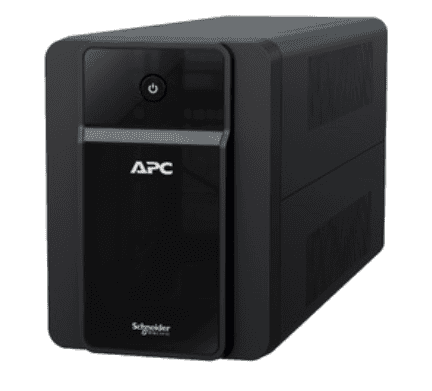
That intermittent beep coming from your APC Back-UPS is not random — it’s the UPS trying to tell you something specific. Most Indian buyers either ignore it until the UPS stops holding charge entirely, or rush to buy a replacement RBC battery without first confirming that the battery is actually the problem. Before you spend money, it helps to know exactly what each beep pattern means, because an APC UPS beeping on a schedule, during a power cut, or continuously are three very different situations — each pointing to a different fix.
Why APC UPS Beeping Matters Before a Purchase Decision
APC Back-UPS and Smart-UPS models are designed to alert you audibly well before a complete failure happens. The logic board constantly monitors battery voltage, charge level and load, and it uses beep timing to differentiate between a low-battery warning, an overload condition, and a battery that has reached end-of-life. Buying a replacement RBC battery based purely on guesswork often leads to one of two mistakes: replacing a perfectly healthy battery when the real issue is overload, or ignoring a genuine battery-failure alarm until the UPS can no longer power anything during a cut.
Common APC Beep Patterns and What They Mean
| Beep Pattern | Likely Cause | What To Check |
|---|---|---|
| One long beep every few seconds, continuous | Running on battery during a power cut (normal) | No action needed unless it continues after power returns |
| 4 beeps repeating every few seconds, steady | Battery is weak, low, or nearing end-of-life | Check battery age; likely needs replacement soon |
| Continuous, unbroken beep tone | Overload — load exceeds UPS capacity | Unplug some devices; recheck connected load in VA |
| Rapid chirping, short beeps close together | Fault condition or battery disconnected internally | Reseat battery connector; if persists, battery or UPS fault |
| Beep on self-test (UPS tests weekly automatically) | Routine self-test, usually harmless | Note result shown on LCD/LED if available |
Signs the Battery — Not the UPS — Needs Replacing
A beeping alarm is one signal, but combine it with these to confirm the battery itself is at fault rather than the UPS electronics:
- Backup time has dropped sharply compared to when the UPS was new — a battery that once gave 15-20 minutes now gives 3-4 minutes.
- The UPS switches to battery mode immediately even on a minor voltage dip, suggesting the battery can’t hold a stable charge.
- The LCD or LED shows a
Shop what this guide covers
- UPS Repair & TroubleshootingDiagnosis first — because most "faulty UPS" calls turn out to be a battery at the end of its life.
- Genuine APC RBC replacement batteriesFactory-sealed APC Replacement Battery Cartridges with full manufacturer warranty.
- APC Back-UPS — for home & small officeLine-interactive UPS for desktops, Wi-Fi routers, CCTV and billing machines.
- APC Smart-UPS & online UPSDouble-conversion, pure sine-wave power for servers, racks and critical loads.
What size UPS do I need? »Find the battery for my UPS »Ask us on WhatsApp
Related guides
- 12V, 24V or 36V? How to Identify Your APC UPS’s Battery Voltage Before Buying a Replacement RBC (India 2026)
- APC RBC Replacement Battery Warranty in India: What’s Covered, What’s Not, and How to Claim (2026 Guide)
- APC RBC vs Generic Replacement Battery: Which One Should You Buy for Your UPS in India? (2026 Guide)
- Buying a Spare APC RBC Battery in Advance? Storage, Shelf Life & Charging Tips Before Installation (India 2026)
- Buying a Replacement APC UPS Battery in India? Here’s How to Safely Dispose of or Exchange Your Old One (2026)
All UPS & power-backup guides · APC battery replacement chart · APC UPS dealer in your city