
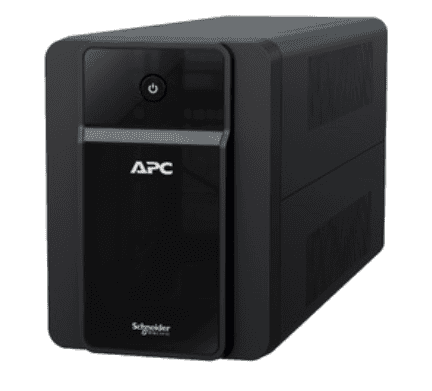
Every APC UPS owner eventually asks the same question: is my battery due for a replacement, or can it last another year? The honest answer is “it depends” — not on a fixed calendar date, but on how hard your battery has been working. An APC UPS in a Tier-2 city with six hours of daily load-shedding ages very differently from the same model sitting in a Mumbai flat that rarely sees a power cut. This guide gives you a practical UPS battery replacement schedule based on real Indian usage patterns, so you know exactly when to budget for a new APC RBC battery instead of guessing after your backup fails mid-cut.
Why There’s No Single “Replace Every X Years” Rule
Most sealed lead-acid batteries, including genuine APC RBC cartridges, are rated for roughly 3-5 years of service life under ideal conditions — 25°C ambient temperature, occasional discharge cycles, and clean mains power. India rarely offers ideal conditions. Heat above 30°C (common for 8+ months a year in most Indian cities) can cut battery life nearly in half for every 8-10°C rise above the rated temperature. Frequent deep discharges from long power cuts also wear down the plates faster than light, occasional use. So instead of a blanket “replace every 3 years” rule, match your replacement schedule to your actual usage category.
Replacement Schedule by Usage Pattern
| Usage Pattern | Typical Scenario in India | Expected Battery Life |
|---|---|---|
| Light / backup-only | Metro area, rare power cuts, UPS mostly idle on mains | 3.5-4.5 years |
| Moderate | 1-2 power cuts a week, 30-60 min each | 2.5-3.5 years |
| Heavy | Daily scheduled outages, Tier-2/3 towns, rural feeders | 1.5-2.5 years |
| High-heat environment | UPS kept in a non-AC server room or store room | 1-2 years |
| Business-critical (online UPS) | 24×7 load, frequent runtime tests | 2-3 years |
Signs Your Battery Is Nearing End-of-Life, Regardless of Schedule
A calendar estimate is only a starting point. Watch for these practical signs that your APC UPS battery needs replacing sooner than expected:
- Backup time has visibly dropped — if a UPS that once ran your PC for 15 minutes now shuts off in 3-4 minutes, the battery has lost most of its capacity.
- Frequent beeping or a solid amber/red battery LED even when mains power is present — often a sign of a weak or failing cell.
- The UPS switches to battery mode unnecessarily during minor voltage fluctuations, suggesting the battery can no longer hold a stable charge.
- Swelling, leakage, or a sulphur smell near the battery compartment — stop using the UPS immediately if you notice this.
- The UPS is 3+ years old and has never had a replacement, even if it still seems to work — degraded capacity is often invisible until a real outage hits.
Matching the Right Replacement Battery to Your Schedule
Once you’ve identified that it’s time, the next step is choosing the correct capacity and terminal type for your exact UPS model — not just any battery that physically fits. Using an undersized or mismatched replacement shortens backup time and can stress the charging circuit. Browse genuine APC RBC replacement batteries matched to your model number before buying, rather than relying on a generic “universal” battery from a local shop.

Simple Steps to Extend Battery Life Between Replacements
- Keep the UPS in a cool, ventilated spot — avoid direct sunlight, kitchens, or sealed cupboards.
- Don’t run the UPS at consistently near-100% load; headroom reduces thermal stress on the battery.
- Avoid letting the UPS sit completely unused (unplugged) for months — batteries self-discharge and degrade faster without periodic charging.
- If your UPS is still under its original coverage, consider extending protection with an APC extended warranty pack so unexpected failures beyond the standard period are still covered.
FAQ: APC UPS Battery Replacement Timing
Can I wait until the battery completely dies before replacing it?
You can, but it’s risky — a battery nearing failure often gives little warning before it stops holding charge entirely, usually during an actual power cut when you need it most. It’s safer to replace once backup time drops noticeably below original specs.
Does the number of power cuts matter more than the battery’s age?
Yes. A 2-year-old battery in a heavy-outage area can be more worn out than a 4-year-old battery that’s rarely been discharged. Usage cycles matter as much as calendar age.
Will a new battery restore my UPS to its original backup time?
In most cases, yes — assuming the UPS itself (charger circuit, inverter) is healthy. If backup time is still poor after a fresh genuine battery, the fault may lie elsewhere in the unit.
Is it worth replacing the battery proactively before it fails?
For business-critical setups — servers, billing systems, medical equipment — yes. The cost of a scheduled replacement is far lower than the cost of downtime from an unexpected failure during a long outage.
Shop what this guide covers
- Genuine APC RBC replacement batteriesFactory-sealed APC Replacement Battery Cartridges with full manufacturer warranty.
- APC Back-UPS — for home & small officeLine-interactive UPS for desktops, Wi-Fi routers, CCTV and billing machines.
- APC Smart-UPS & online UPSDouble-conversion, pure sine-wave power for servers, racks and critical loads.
- APC extended warranty packsExtend cover on your UPS by 1 to 3 years, registered to your serial number.
What size UPS do I need? »Find the battery for my UPS »Ask us on WhatsApp
Related guides
- APC UPS Beeping? Decode the Alarm Pattern Before You Buy a Replacement RBC Battery (India 2026)
- How to Find the Right RBC Replacement Battery for Your APC UPS Model (India 2026 Matching Guide)
- APC RBC Battery Discontinued? How to Find a Compatible Replacement in India (2026 Guide)
- Buying a Replacement APC UPS Battery in India? Here’s How to Safely Dispose of or Exchange Your Old One (2026)
- APC RBC Replacement Battery Warranty in India: What’s Covered, What’s Not, and How to Claim (2026 Guide)
All UPS & power-backup guides · APC battery replacement chart · APC UPS dealer in your city