
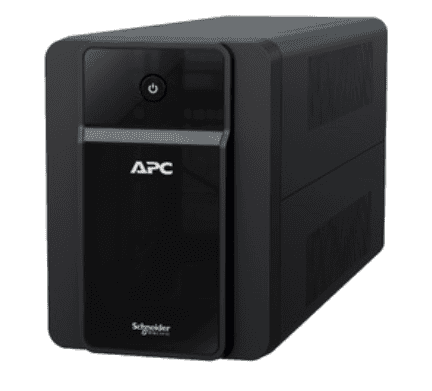
If you’ve started comparing APC Back-UPS models online, you’ve probably noticed the same three VA numbers showing up again and again — 600VA, 850VA and 1100VA. They look similar, cost differently, and the spec sheets rarely explain which one actually matches your load. This 600VA vs 1100VA UPS comparison breaks down what each size is really meant for — a Wi-Fi router, a home desktop, or a small office with CCTV and a couple of PCs — so you don’t overpay for capacity you’ll never use, or underbuy and get caught during the next power cut.
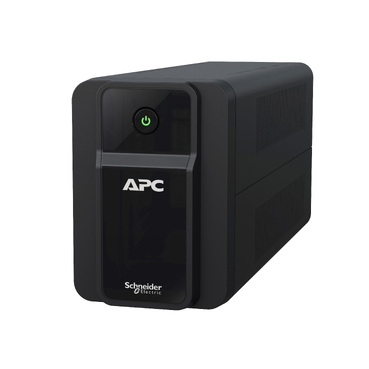
What the VA Number Actually Tells You
VA (Volt-Ampere) is the apparent power capacity of the UPS — it’s not the same as the real wattage your devices draw, but as a buyer you can use it as a quick capacity indicator. Roughly:
- 600VA ≈ 360W usable load
- 850VA ≈ 480-510W usable load
- 1100VA ≈ 630-660W usable load
The gap between these three models isn’t huge in watts, but it makes a real difference in backup time once you add even one extra device — a monitor, a second router, or a DVR with multiple camera channels.
600VA: For Networking Gear, Not Computers
The APC Back-UPS 600VA is sized for continuous, low-draw devices — a broadband modem, a Wi-Fi router, a small 4-8 channel CCTV DVR, or a single ONT/ONU box. These devices typically pull 15-40W combined, so a 600VA unit can often hold them up for 2-4 hours during a power cut, far longer than most people expect from a “small” UPS. What it’s not meant for is a desktop PC or monitor — try to run those off a 600VA unit and you’ll get overload warnings or a backup time measured in minutes.
850VA and 1100VA: Desktops, Multi-Device Setups
Once you add a desktop tower, an LED monitor, and maybe a small printer or a second CCTV recorder, 600VA runs out of headroom fast. This is where 850VA and 1100VA models come in — both are popular for home offices and reception desks because they leave comfortable margin above the actual running load, which also means less strain on the battery and a longer battery life overall.
| Model | Usable Load (approx.) | Typical Devices | Indicative Backup Time* |
|---|---|---|---|
| 600VA | ~360W | Router, modem, 1 CCTV DVR | 2-4 hrs (low draw only) |
| 850VA | ~480-510W | Desktop + monitor, or router + DVR + extra device | 45-75 mins at moderate load |
| 1100VA | ~630-660W | Desktop + monitor + printer, or 2 light workstations | 30-60 mins at moderate load |
*Actual backup time depends on real wattage drawn, battery age and load percentage — treat these as planning estimates, not guarantees.
A Quick Way to Decide
- Only networking/CCTV, no PC: 600VA is enough and gives you the longest backup time for the price.
- Single desktop + monitor, light use: 850VA covers this comfortably with headroom for a printer or speaker.
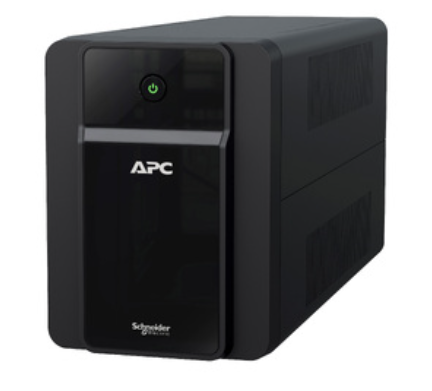
- Desktop + monitor + router + DVR on one UPS, or you expect to add devices later: go with 1100VA — the extra VA buys you runtime margin and room to grow.
- Gaming PC, dual monitors, or a workstation with a discrete graphics card: none of these three may be enough — look at the line-interactive UPS range for higher-capacity Back-UPS and Back-UPS Pro models instead.
Don’t Forget Load Percentage
A UPS rated for a certain VA shouldn’t be run at 100% of that rating continuously — keeping actual load to roughly 50-70% of capacity gives the battery a longer working life and leaves margin for the inrush current some devices draw at power-on. If you’re buying for a home office where you might add a second monitor or a small laser printer down the line, it’s almost always worth buying one size up rather than cutting it close.
Buying for an Office with Multiple Desks?
If you’re outfitting more than two or three desks — each with its own desktop, monitor and maybe a shared CCTV panel — it’s usually more economical to size one UPS per 2-3 devices rather than one oversized unit for the whole room, since line-interactive UPS units aren’t designed to be daisy-chained. For offices ordering several units together, APC’s instant quotation builder lets you pick multiple models and quantities and get a numbered PDF quote with GST and freight in about a minute — useful when you need a proper document for approvals before placing a bulk order.
Frequently Asked Questions
Can I run a Wi-Fi router and a desktop PC off the same 600VA UPS?
Not reliably. A desktop and monitor alone can approach or exceed a 600VA unit’s usable capacity, leaving almost nothing for the router. Keep networking gear and desktops on separate UPS units, or step up to 850VA/1100VA if you want to combine them.
Will a bigger VA model always give longer backup time?
Only if the actual load stays the same. A 1100VA UPS running the same 40W router as a 600VA UPS will last considerably longer, but if you add more devices as you upgrade, the backup time advantage shrinks. Size for your real, combined wattage, not just the biggest number available.
Is it worth buying 1100VA even if I only need 850VA today?
Often yes, if you’re likely to add a printer, a second monitor or another camera channel within the UPS’s working life. The price difference between these tiers is usually modest compared to replacing an undersized unit later.
Do these VA ratings apply to CCTV DVRs with multiple cameras?
An 8-16 channel DVR without PoE cameras typically draws under 60W and fits comfortably on a 600VA or 850VA unit. PoE-powered camera setups draw significantly more per camera, so check the DVR/NVR’s rated wattage before assuming a small UPS will cover it.
Shop what this guide covers
- APC Back-UPS — for home & small officeLine-interactive UPS for desktops, Wi-Fi routers, CCTV and billing machines.
- Build an instant APC UPS quotationGST worked out, freight to your pincode, numbered PDF emailed in about a minute.
What size UPS do I need? »Find the battery for my UPS »Ask us on WhatsApp
Related guides
- APC Back-UPS vs APC Easy-UPS BVX: Should You Buy a Lithium-Ion UPS for Home or Office in India? (2026)
- APC Back-UPS vs Home Inverter: Which Should You Buy for Power Backup in India? (2026 Guide)
- AVR in Your APC Back-UPS vs a Separate APC Line-R Stabilizer: Do You Need Both? (India 2026 Guide)
- How Many Hours of Backup Do You Need? Matching Your APC Back-UPS to India’s Power Cut Patterns (2026 Guide)
- Do You Need an APC Line-R Stabilizer for Your TV & Home Theatre? (India 2026 Buying Guide)
All UPS & power-backup guides · APC battery replacement chart · APC UPS dealer in your city