
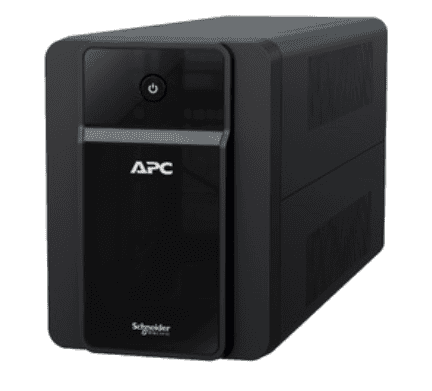
If you’re setting up power backup for a small office with five, ten or twenty desktops, you’ll quickly hit a decision most home buyers never face: should you buy one large APC Back-UPS for small office use and wire it to every desk, or give each workstation its own smaller unit? Both approaches work, but they behave very differently when a power cut actually happens — and getting it wrong means either wasted money or a UPS that trips the moment everyone switches their monitors on. Here’s how to think it through before you place an order.
The Two Approaches, in Plain Terms
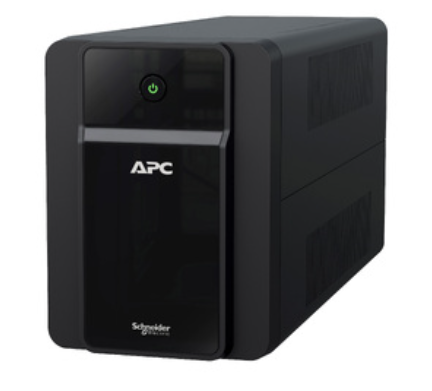
Centralised: one large Back-UPS (or a small online UPS) installed near the distribution board, feeding a dedicated backup circuit that runs to every desk through conduit or trunking. Distributed: each employee gets their own 600–1100VA Back-UPS sitting under or beside their desk, plugged into the normal office socket.
Do the VA Math Per Desktop First
Before comparing approaches, size one desk correctly. A typical office setup draws roughly:
- Desktop PC (non-gaming, with SSD): 150–200W actual draw
- LED monitor (19–24 inch): 20–30W
- Wi-Fi router shared across the floor: 10–15W
- Desk lamp or small peripheral: 10–20W
That’s roughly 200–260W of real load per desk, which at a typical 0.6–0.7 power factor needs about 330–430VA of UPS capacity just to run — before you add any backup-time margin. This is why a 600VA Back-UPS barely survives one PC with a monitor, while an 850VA or 1100VA unit gives comfortable headroom. If you want the full formula with battery-side numbers, our guide on calculating backup time before buying an APC Back-UPS walks through it step by step — but for office planning, use the per-desk figures above as your baseline and multiply.
Centralised vs Distributed: A Side-by-Side Comparison
| Factor | One Large Centralised UPS | One Small UPS Per Desk |
|---|---|---|
| Upfront cost | Lower per-watt, but one big invoice | Higher total cost, spread across units |
| Wiring effort | Needs a separate backup circuit run to every desk | Zero extra wiring — plug into existing socket |
| Single point of failure | Yes — if it fails, the whole office goes dark | No — one UPS failing affects only one desk |
| Battery replacement | One RBC battery set, less frequent handling | Multiple RBCs to track and replace over time |
| Flexibility for office moves | Fixed installation, harder to relocate | Each unit moves with the desk |
| Best for | Offices with 6+ desks on a fixed floor plan | 1–5 desks, rented space, or frequent reshuffles |

When a Centralised UPS Makes Sense
If your office has a fixed layout and six or more desks, a single larger line-interactive or small online UPS fed through a dedicated backup wiring loop is usually cheaper per desk and far easier to manage — one battery set, one monitoring point, one AMC to track. This is also the point where it’s worth comparing a Back-UPS against a true online UPS if you’re also running a local server or NAS alongside the desktops, since online units handle mixed, sensitive loads more cleanly.
When Per-Desk Units Make More Sense
For a 2–5 desk office, especially in a rented space where you might move in a year or two, individual 850VA–1100VA Back-UPS units under each desk avoid any electrical wiring work and let you scale one desk at a time as the team grows. Browse the full range of APC line-interactive UPS models to match capacity to each role — reception desk, accounts PC, design workstation — rather than buying identical units for every seat.
Don’t Forget the Router and CCTV
Whichever approach you choose, the office Wi-Fi router and CCTV DVR should ideally sit on their own small UPS (a 600VA Back-UPS is usually enough) rather than sharing a desktop’s unit. Network gear needs to stay up even when a PC is switched off at day’s end, and separating it avoids draining a desk UPS’s battery on devices that aren’t tied to work hours.
Buying for Multiple Desks? Skip the Back-and-Forth Quotes
If you’re comparing centralised versus per-desk setups for an office of 10, 20 or more seats, working out line-items, GST and freight manually for each option takes time. Our instant quotation builder lets you add multiple Back-UPS units (or a mix of UPS and RBC batteries) and get a numbered PDF quote with GST and freight in about a minute — useful for comparing both scenarios side by side before you commit budget.
Frequently Asked Questions
Can one 2000VA UPS run ten desktops instead of buying ten small units?
On paper the VA math might work, but in practice a single large UPS failure takes down the entire office, and running that many PCs off one unit usually means a proper online UPS with external battery banks — not a standard Back-UPS. Beyond 5–6 seats, per-desk or small-group units are usually safer and simpler to maintain.
Is it cheaper to buy one large Back-UPS or several small ones?
Per-VA, a single large unit is usually cheaper, but you must add wiring/electrician costs for the centralised approach. For under 5 desks, per-desk units often come out similar in total cost once wiring is factored in.
What size Back-UPS do I need per desk in a small office?
For a standard desktop with one monitor, 850VA to 1100VA gives comfortable headroom and 15–25 minutes of backup — enough to save work and shut down safely during a short outage.
Should the office router go on the same UPS as a desktop?
Not ideally. Put the router and CCTV on their own small 600VA unit so network connectivity survives even when individual PCs are powered off.
Shop what this guide covers
- APC BR1500G-IN battery replacementThe correct RBC144 cartridge for the BR1500G-IN (1500VA).
- UPS AMC & Preventive MaintenanceScheduled preventive visits, battery health checks and priority response for business-critical power.
- Genuine APC RBC replacement batteriesFactory-sealed APC Replacement Battery Cartridges with full manufacturer warranty.
- APC Back-UPS — for home & small officeLine-interactive UPS for desktops, Wi-Fi routers, CCTV and billing machines.
What size UPS do I need? »Find the battery for my UPS »Ask us on WhatsApp
Related guides
- APC Back-UPS 600VA vs 850VA vs 1100VA: Which Should You Buy for Home or Small Office in India? (2026)
- How Many Hours of Backup Do You Need? Matching Your APC Back-UPS to India’s Power Cut Patterns (2026 Guide)
- APC Back-UPS vs Home Inverter: Which Should You Buy for Power Backup in India? (2026 Guide)
- How Long Can an APC Back-UPS Power Your Wi-Fi Router & CCTV During a Long Power Cut? (India 2026 Sizing Guide)
- Voltage Stabilizer vs UPS: Which One Does Your Home or Office Actually Need? (India 2026 Decision Guide)
All UPS & power-backup guides · APC battery replacement chart · APC UPS dealer in your city