
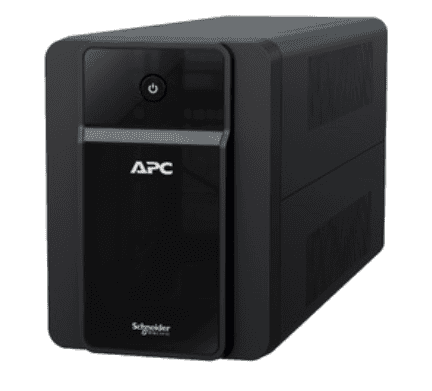
If you live in an apartment in Mumbai, Bengaluru, Pune or any gated society, chances are your flat already has one or two “inverter point” sockets wired to a common DG set or building inverter. So why would you still spend money on an APC Back-UPS for your computer, Wi-Fi router or CCTV? This is one of the most common questions we get from buyers researching an APC Back-UPS for inverter homes that already have some form of backup. The short answer: a building inverter and a dedicated UPS solve two completely different problems, and in most Indian homes you actually need both.
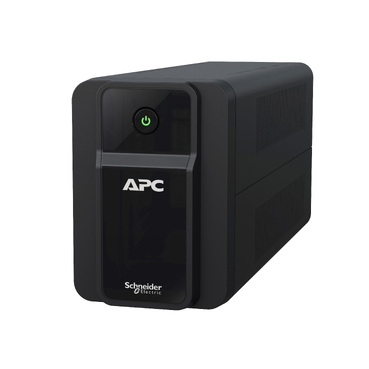
Why Many Indian Homes Already Have an “Inverter Point”
Housing societies in Tier-1 and Tier-2 cities commonly run a shared inverter or a small DG set that backs up one or two sockets per flat — usually for lights, fans, and sometimes a TV point. It’s a convenient, low-cost arrangement, but it’s built for general-purpose load sharing across dozens of flats, not for protecting a single PC or sensitive network equipment.
What a Building Inverter Can — and Can’t — Do for Your Electronics
A shared building inverter is designed to keep basic appliances running during an outage. It typically cannot:
- Guarantee a clean, regulated output — voltage from a shared inverter circuit can still swing with society-wide load changes.
- Offer instant, sub-10-millisecond switchover — some older building inverters have a visible flicker or restart delay that can reboot a PC or router.
- Prioritise your equipment specifically — if many flats draw power simultaneously, your socket may get a reduced or unstable supply.
- Protect against surges and spikes travelling in from the grid before the changeover happens.
For a desktop, NAS, or CCTV recorder, even a half-second hiccup or a voltage sag can cause data corruption, DVR software crashes, or Wi-Fi router reboots — exactly the problems a dedicated line-interactive UPS like an APC Back-UPS is built to prevent.
Why You Still Need a Dedicated APC Back-UPS
An APC Back-UPS does two jobs your building inverter point usually doesn’t: it regulates voltage through built-in AVR (Automatic Voltage Regulation) before switching to battery, and it switches to battery in under 10 milliseconds — fast enough that a PC, router or CCTV system never even notices the outage. It also isolates your equipment from the shared load variability of the building circuit, since the UPS battery is dedicated entirely to your devices.
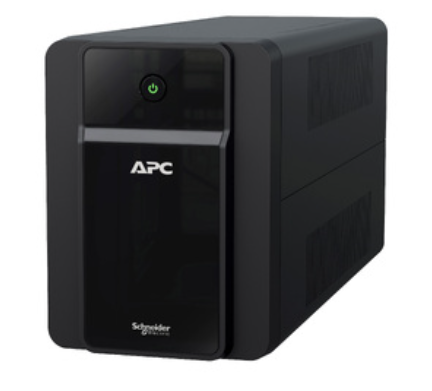
Building Inverter vs APC Back-UPS vs Both Together
| Setup | Switchover Time | Voltage Regulation | Best For |
|---|---|---|---|
| Building inverter only | Seconds (varies by system) | Often none | Lights, fans, basic appliances |
| APC Back-UPS only | <10 ms | Yes (AVR) | PC, router, CCTV, modem |
| Both together (recommended) | <10 ms for electronics | Yes, for UPS-connected devices | Whole-flat backup + protected electronics |
Plugging your APC Back-UPS into the inverter point socket is actually the smartest combination: the building system extends total runtime during a long outage, while the UPS still gives your sensitive devices instant, clean power during the switch and any grid fluctuations in between.
How to Size Your APC Back-UPS When You Already Have Inverter Backup
Since the building inverter already extends your overall runtime, you don’t necessarily need the largest UPS on the shelf — you mainly need enough VA to comfortably run your specific devices with a safety margin:
- Wi-Fi router + modem + one CCTV camera: APC Back-UPS 600VA is usually sufficient.
- Desktop PC + monitor + router: APC Back-UPS 1100VA gives comfortable headroom.
- Multiple monitors, printer, NAS and router together: Consider an APC Back-UPS Pro (BR series) 1000VA–1500VA for pure sine wave output on sensitive components.
If you’re unsure which capacity matches your exact combination of devices, our instant quotation builder lets you pick products and get a GST-inclusive PDF quote in about a minute — useful if you’re also comparing options for a home office or small business setup.
A Few Practical Tips
- Always plug your APC Back-UPS into the building’s inverter-backed socket, not a raw mains socket, so you get both layers of protection.
- Check your building inverter’s wattage allocation per flat before adding a UPS — most residential inverter points can easily handle an additional 600–1100VA UPS load.
- If your area has frequent deep voltage sags rather than full outages, pair your setup with a voltage stabilizer for appliances not connected to the UPS.
- Keep a spare APC RBC replacement battery on hand once your UPS crosses 3 years of use, since battery degradation is the most common cause of reduced backup time.
Frequently Asked Questions
Will plugging an APC Back-UPS into an inverter socket damage it?
No. APC Back-UPS units accept a wide input voltage range and handle inverter output without issue, as long as the inverter’s output waveform is reasonably stable. If your building inverter produces a stepped/modified square wave, pairing it with an APC Back-UPS Pro (pure sine wave) adds extra protection for sensitive electronics.
Do I need a UPS if my building inverter already covers 4-5 hours of backup?
Yes, for electronics — runtime isn’t the issue, switchover speed and voltage quality are. A PC or router can still reboot or behave erratically during the inverter’s changeover moment without a UPS in between.
Can one APC Back-UPS handle both my router and CCTV system?
Generally yes, for a single router and one or two IP cameras, a 600VA unit is sufficient. For a CCTV setup with an NVR and four or more cameras, size up to 1100VA for safer headroom.
Is it cheaper to just upgrade my building inverter instead of buying a separate UPS?
Building inverter capacity is usually a shared society decision and takes time to change. A dedicated APC Back-UPS is a one-time, independent purchase that protects just your equipment immediately, without depending on society approval.
Shop what this guide covers
- Genuine APC RBC replacement batteriesFactory-sealed APC Replacement Battery Cartridges with full manufacturer warranty.
- APC Back-UPS — for home & small officeLine-interactive UPS for desktops, Wi-Fi routers, CCTV and billing machines.
- APC Line-R voltage stabilizersProtection against the voltage swings that shorten equipment life.
- Build an instant APC UPS quotationGST worked out, freight to your pincode, numbered PDF emailed in about a minute.
What size UPS do I need? »Find the battery for my UPS »Ask us on WhatsApp
Related guides
- One APC Back-UPS for Desktop, Wi-Fi Router & CCTV — or Should You Split the Load? (India 2026 Buying Guide)
- APC Back-UPS vs Home Inverter: Which Should You Buy for Power Backup in India? (2026 Guide)
- How Long Can an APC Back-UPS Power Your Wi-Fi Router & CCTV During a Long Power Cut? (India 2026 Sizing Guide)
- One Big APC Back-UPS or One Per Desk? Sizing Power Backup for a Small Office in India (2026)
- How to Calculate Backup Time Before Buying an APC Back-UPS: A Step-by-Step Formula (India 2026)
All UPS & power-backup guides · APC battery replacement chart · APC UPS dealer in your city