
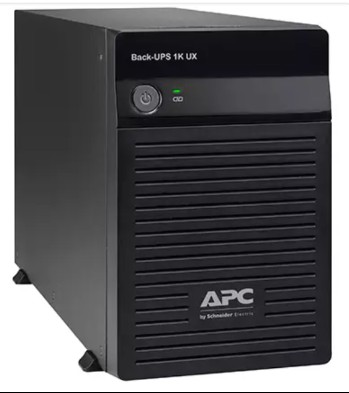
Many Indian buyers don’t wait for their APC UPS to start beeping before they order a replacement battery — they buy an APC RBC battery in advance, especially before monsoon or festival season when demand and delivery times stretch out. That’s a smart move, but a sealed lead-acid (SLA) battery isn’t like a bag of rice you can leave on a shelf indefinitely. It self-discharges, loses capacity, and can even be damaged permanently if stored the wrong way for too long. This guide explains how long you can safely keep a spare APC RBC battery before fitting it, how to store it correctly, and how to tell if a battery that’s been sitting around is still good to install.

Why Buy a Spare RBC Battery in Advance in the First Place
There are genuine reasons Indian homes and businesses keep a spare battery on hand rather than ordering only after a failure:
- Zero downtime tolerance — offices running billing systems, servers, or CCTV cannot afford a 2-3 day wait for a replacement to arrive.
- Seasonal demand spikes — during peak summer and pre-monsoon months, popular RBC part numbers can go temporarily out of stock at some sellers.
- Bulk facility planning — offices with multiple UPS units often buy a batch of spares together to avoid repeat freight and paperwork. If you’re planning this for several units, our instant quotation builder lets you generate a single GST-inclusive PDF quote for the whole batch in a minute, without waiting on a salesperson.
The catch: an SLA battery sitting in a warehouse or storeroom is aging even if it’s never been used. Understanding its shelf life is essential before you commit to buying early.
How Long Can an APC RBC Battery Sit in Storage?
APC RBC batteries use valve-regulated lead-acid (VRLA) cells, which are shipped in a charged state but discharge slowly over time — faster in Indian heat than in cooler climates. As a rough guide:
| Storage Temperature | Safe Storage Before Recharge Needed | Notes for Indian Conditions |
|---|---|---|
| Below 25°C | Up to 6 months | Rare in most Indian cities except hill regions/AC storerooms |
| 25°C – 30°C | 3–4 months | Typical for a shaded indoor store or office cupboard |
| Above 30°C (non-AC storeroom in summer) | 2 months or less | Common in many Indian warehouses April–June; recharge sooner |
Beyond these windows, the battery’s internal plates begin to sulfate — a chemical change that permanently reduces capacity even after recharging. This is exactly why storage temperature matters as much as storage duration.
Storage Conditions: A Practical Checklist
- Keep it cool and dry — avoid direct sunlight, tin-roof storerooms, or spots near motors/transformers that radiate heat.
- Store upright — most VRLA batteries are designed to sit flat/upright, not on their side or tilted.
- Keep terminals uncovered but untouched — don’t wrap terminals in a way that traps moisture; keep metal tools away to avoid accidental shorting.
- Note the manufacture date — check the date code on the battery casing before buying, and again before installing, so you know exactly how long it’s been sitting.
- Avoid stacking heavy items on top — casing damage can lead to slow electrolyte leaks that aren’t visible immediately.

Charging Before Installation
Never fit a spare battery straight from long-term storage without checking its charge first. A few practical steps:
- If the battery has been stored for over 2 months, give it a slow top-up charge before connecting it to your UPS, ideally using the UPS itself once installed — most APC Back-UPS and Smart-UPS units will auto-charge a slightly depleted battery safely.
- Don’t force-charge with a car battery charger or unregulated source — SLA batteries need a controlled float/bulk charge profile, and the wrong charger can damage them.
- After installation, let the UPS run on mains for a full charge cycle (usually several hours) before relying on it during a power cut.
Signs Your Stored Battery Has Gone Bad
Before installing a battery that’s been sitting for a while, inspect it for:
- Bulging or swelling of the casing — a sign of internal gas buildup, do not use.
- A rotten-egg smell or visible residue near the terminals — indicates a leak.
- Terminal voltage far below rated — if you have a multimeter, a healthy stored 12V battery should still read close to 12V; anything noticeably lower needs a full recharge and capacity check before use.
- Physical damage to the case from stacking or a fall during storage/transit.
If you spot any of these, don’t install the battery — it’s better to source a fresh one from our APC RBC battery range than risk a UPS that fails exactly when you need it most.
Frequently Asked Questions
Can I install a spare RBC battery that’s been sitting in a box for a year?
It’s risky. A year of storage — especially in Indian summer temperatures — typically causes significant sulfation and capacity loss. Test the voltage first, and if it reads well below 12V per cell block or the UPS reports poor runtime after charging, it should be replaced rather than trusted for critical backup.
Does buying a battery ahead of time save money compared to buying when it fails?
Sometimes, especially if you’re combining the order with other UPS purchases or buying for multiple units at once, since it saves on repeat freight charges. But only buy as far ahead as you can store it properly — buying 12-18 months early isn’t a saving if the battery degrades before you ever use it.
How is a spare battery different from an installed one in terms of warranty?
The manufacturer warranty period usually starts from the date of purchase, not the date of installation. So a battery bought and stored for several months before use has effectively
Shop what this guide covers
- Genuine APC RBC replacement batteriesFactory-sealed APC Replacement Battery Cartridges with full manufacturer warranty.
- APC Back-UPS — for home & small officeLine-interactive UPS for desktops, Wi-Fi routers, CCTV and billing machines.
- APC Smart-UPS & online UPSDouble-conversion, pure sine-wave power for servers, racks and critical loads.
- All APC UPS systemsThe full genuine APC range, with GST invoice and pan-India delivery.
What size UPS do I need? »Find the battery for my UPS »Ask us on WhatsApp
Related guides
- 12V, 24V or 36V? How to Identify Your APC UPS’s Battery Voltage Before Buying a Replacement RBC (India 2026)
- APC RBC Replacement Battery Warranty in India: What’s Covered, What’s Not, and How to Claim (2026 Guide)
- APC RBC Battery Terminal Types Explained: F1 vs F2 vs Bolt-On — Which Fits Your UPS? (India 2026)
- Does Your APC Line-R Stabilizer Need Earthing? Installation & Safety Checklist Before You Buy (India 2026)
- APC RBC vs Generic Replacement Battery: Which One Should You Buy for Your UPS in India? (2026 Guide)
All UPS & power-backup guides · APC battery replacement chart · APC UPS dealer in your city