

Most Indian buyers pick a UPS VA rating by guesswork — “my neighbour uses 1100VA, so I’ll buy that too.” This works sometimes, but it also means many homes overpay for a bigger unit than they need, while small offices with a CCTV DVR, NVR, desktop and router on one line quietly overload a 600VA unit and wonder why the backup lasts five minutes. The fix is simple: measure your real load in watts before you buy, then convert that number to VA using your UPS’s actual power factor. This guide walks through that exact process with Indian devices, prices and APC models.
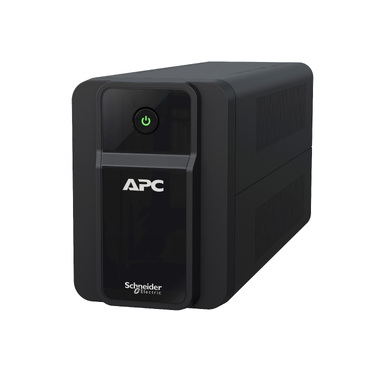
Why Guessing VA Ratings Goes Wrong
UPS nameplates list VA (Volt-Amps), but your electricity bill and appliance labels are usually in Watts. These aren’t the same number — the ratio between them (the power factor) changes depending on what’s plugged in. A desktop PC with an SMPS behaves differently from an LED bulb or a CCTV DVR. Guessing skips this conversion entirely, so buyers either round up (safe but expensive) or round down (cheap but the UPS trips or gives a fraction of the expected runtime).
Step 1: List Every Device You Actually Want to Back Up
Write down only what must survive a power cut — not everything on that plug board.
- Wi-Fi router / ONT: 8-15W
- CCTV DVR/NVR (4-8 channel, no monitor): 15-30W
- Desktop PC (SMPS + monitor, idle-to-moderate use): 120-200W
- Gaming/workstation PC with dedicated GPU: 300-500W
- LED monitor (22-24 inch): 20-30W
- Laptop charger: 45-65W
- Inkjet printer (standby): 5-10W
These are typical figures, not guarantees — the next step tells you your real numbers.
Step 2: Measure Real Load with a Plug-in Watt Meter
A basic plug-in energy/watt meter costs roughly ₹300-700 online and plugs between the wall socket and your device, showing live wattage on a small display. Plug in each device one at a time, note the reading under normal use (not just idle), then add them up for the combination you want on one UPS. If you don’t have a watt meter, a clamp meter reading current (Amps) at 230V and multiplying by voltage gives a rough Watt figure too, though it’s less precise for non-linear loads like SMPS-based electronics.
Step 3: Convert Watts to VA Correctly
Line-interactive APC Back-UPS models (BX/BR series) typically have a power factor around 0.6-0.8 depending on the exact model and load type. The formula is:
Required VA = Total Watts ÷ Power Factor
For example, a combined load of 250W with a 0.7 power factor needs roughly 357VA of UPS capacity just to run the load — before adding any safety margin. This is the step most buyers skip, and it’s exactly why a UPS rated for what looks like “enough VA” on paper still struggles in practice.

Step 4: Add Headroom for Battery Aging and Future Devices
Never size to exactly 100% of your measured need. Two reasons: batteries lose 20-30% of their usable capacity as they age even before they technically fail, and you’ll likely add a new laptop, smart TV box or extra camera within a year or two. Add 25-30% buffer over your calculated VA figure before choosing a model.
Step 5: Match the Buffered Figure to an APC Back-UPS Model
| Measured Load (Watts) | Buffered VA Needed (approx.) | Suggested APC Model |
|---|---|---|
| 15-40W (router + CCTV only) | ~150-250VA | Back-UPS 600VA (BX600) |
| 150-220W (single desktop + monitor) | ~400-500VA | Back-UPS 1000VA |
| 250-400W (desktop + router + CCTV combined) | ~600-750VA | Back-UPS 1100VA |
| 300-500W (gaming PC/workstation, sensitive load) | ~700-900VA | Back-UPS Pro 1500VA (BR, pure sine wave) |
Once you know your figure, it’s worth browsing APC’s full line-interactive UPS range rather than picking the first model you see, since backup time and outlet count vary even within similar VA ratings.
Don’t Forget Battery Health When Estimating Runtime
The VA rating tells you what the UPS can run, not for how long — runtime depends heavily on battery condition. A three-year-old battery can deliver noticeably less backup time than the same UPS with a fresh cell, even for an identical measured load. If your existing UPS is sized correctly but runtime feels short, check the battery before assuming you need a bigger unit — genuine APC RBC replacement batteries restore rated runtime far more reliably than a generic swap.
FAQs
Is a plug-in watt meter accurate enough for UPS sizing?
Yes, for home and small-office use. It measures real-time power draw directly at the socket, which is far more reliable than nameplate wattage figures that often show maximum, not typical, consumption.
What power factor should I use if I don’t know my UPS model’s exact figure?
Use 0.7 as a safe general estimate for line-interactive Back-UPS models with mixed electronic loads. It slightly overestimates required VA, which builds in extra safety margin.
Should I size for peak load or average load?
Size for the highest realistic combined load (e.g., desktop under use plus monitor plus router), not idle readings, and always add the 25-30% buffer on top.
Can I use the same method to size a UPS for a small server or NAS?
The wattage-measurement approach works, but always-on server loads often justify a double-conversion online UPS instead of a line-interactive model — worth comparing against APC’s online UPS options if uptime is critical.
Shop what this guide covers
- Genuine APC RBC replacement batteriesFactory-sealed APC Replacement Battery Cartridges with full manufacturer warranty.
- APC Back-UPS — for home & small officeLine-interactive UPS for desktops, Wi-Fi routers, CCTV and billing machines.
- APC Smart-UPS & online UPSDouble-conversion, pure sine-wave power for servers, racks and critical loads.
What size UPS do I need? »Find the battery for my UPS »Ask us on WhatsApp
Related guides
- How Long Can an APC Back-UPS Power Your Wi-Fi Router & CCTV During a Long Power Cut? (India 2026 Sizing Guide)
- APC Back-UPS Model Numbers Decoded: What BX, BV, BR & BVX Codes Mean Before You Buy (India 2026)
- Ideal Load Percentage for Your APC Back-UPS: How Much Headroom Should You Buy in 2026? (India Guide)
- APC Back-UPS Features Decoded: LCD, AVR & USB Monitoring — What Actually Matters Before You Buy (India 2026)
- How Many Hours of Backup Do You Need? Matching Your APC Back-UPS to India’s Power Cut Patterns (2026 Guide)
All UPS & power-backup guides · APC battery replacement chart · APC UPS dealer in your city