
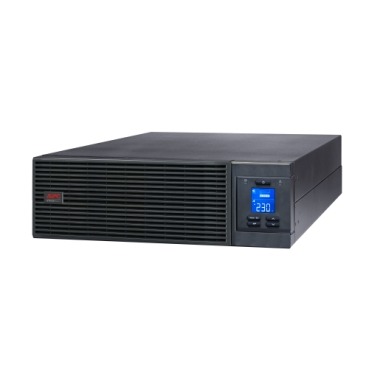
When you buy an APC extended warranty pack, most buyers stop at picking the number of years — 1, 2 or 3 — and forget the more practical question: how will the UPS actually get serviced if it fails? APC extended warranty packs in India are offered with different service commitments, and the two broad types you’ll encounter are onsite service and carry-in/depot service. Choosing the wrong one can mean days of downtime for a business, or paying extra for a service level a home user will never use. This guide breaks down how each works and how to pick the right one for your UPS and your setup.

What Onsite Service Actually Means
Onsite (or on-site) coverage means an APC-authorised engineer visits your location — home, office or server room — to diagnose and repair the UPS or replace faulty components. It’s the service level businesses expect for critical equipment because it avoids the risk and delay of unplugging, packing and shipping a UPS that may be powering a server rack, billing counter, or CCTV/NVR system 24×7.
Onsite plans typically come with a defined response time (for example, next-business-day or 48-hour) mentioned on the extended warranty pack’s terms. For an online UPS protecting a server room, this response time matters as much as the coverage period itself — a 3-year warranty with a slow response commitment isn’t much better than a 1-year plan with fast onsite support.
What Carry-In / Depot Service Means
Carry-in (also called depot or bring-in) service means you or your dealer transport the UPS to an authorised service centre for diagnosis and repair, and collect it once fixed. This is the standard service level for smaller Back-UPS models used at home or in single-desk setups, where the unit is light, easy to disconnect, and not mission-critical enough to justify a technician visit.
Onsite vs Carry-In: Quick Comparison
| Factor | Onsite Service | Carry-In Service |
|---|---|---|
| Best suited for | Server rooms, retail counters, offices with online/rack UPS | Home Back-UPS, single PC, small office |
| Downtime risk | Low — engineer comes to you | Higher — unit must be removed and transported |
| Typical UPS type | Smart-UPS, Easy-UPS Online, larger BR series | Back-UPS BX/BR under 1500VA |
| Cost of extended warranty pack | Generally higher | Generally lower |
| Handling risk | Minimal — no transport | Some risk of transit damage if not packed well |
How to Decide Which One You Need
- Is the UPS running something that can’t tolerate downtime? A server, POS terminal, hospital equipment or online UPS in a data closet should have onsite coverage.
- Is the unit heavy or rack-mounted? Rack-mount Smart-UPS units are impractical to remove for depot service — onsite is the sensible default.
- Do you have a spare UPS to switch to? If yes, carry-in service is fine even for moderately important loads, since you’re not left without backup during transit and repair.
- Is it a single home Back-UPS for a router, PC or TV? Carry-in is usually sufficient and keeps the extended warranty pack more affordable.
- How far is the nearest authorised service centre? If it’s far from your city or town, onsite coverage saves real logistics hassle even for a mid-size UPS.
Businesses: Why This Choice Ties Into Your AMC Decision
For businesses running multiple UPS units — say, an online UPS for the server rack and a few Back-UPS units at reception and billing desks — it’s common to mix service levels: onsite for the critical online UPS, carry-in for the smaller peripheral units. This keeps overall AMC/warranty cost sensible while still protecting the equipment that actually stops your business if it goes down. When comparing APC extended warranty packs for a mixed fleet, check the service type printed on each pack rather than assuming all packs behave the same way.

What to Check Before You Buy
- Confirm the service type (onsite or carry-in) mentioned on the specific extended warranty pack part number — it’s usually stated in the product description or datasheet.
- Check the promised response/turnaround time for onsite visits in your city or region.
- Ask whether battery replacement is bundled or billed separately, since service type and battery coverage are two different things.
- For rack-mount or heavy units, always prefer onsite — factor this into your budget from the start rather than downgrading later.
Frequently Asked Questions
Can I upgrade from carry-in to onsite coverage later?
Usually no — the service type is fixed to the specific warranty pack you purchase. If you anticipate needing onsite support, buy the correct pack upfront rather than a basic carry-in one.
Does onsite service cost significantly more than carry-in?
It typically costs more because it includes technician travel and priority handling, but for business-critical UPS units the reduced downtime usually justifies the difference.
Is carry-in service safe for my UPS during transit?
Yes, as long as it’s packed properly (ideally in original packaging) and batteries are disconnected as instructed by the service centre.
Do I need onsite service for a home Back-UPS?
Not usually. A single Back-UPS at home is light and easy to drop off, so carry-in service keeps your extended warranty pack more affordable without real downside.
Matching the service type to how your UPS is actually used is just as important as choosing the coverage duration. Get this right, and your extended warranty pack becomes real insurance against downtime — not just a document sitting in a drawer.
Shop what this guide covers
- UPS AMC & Preventive MaintenanceScheduled preventive visits, battery health checks and priority response for business-critical power.
- APC Back-UPS — for home & small officeLine-interactive UPS for desktops, Wi-Fi routers, CCTV and billing machines.
- APC Smart-UPS & online UPSDouble-conversion, pure sine-wave power for servers, racks and critical loads.
- APC extended warranty packsExtend cover on your UPS by 1 to 3 years, registered to your serial number.
What size UPS do I need? »Find the battery for my UPS »Ask us on WhatsApp
Related guides
- Does APC Extended Warranty Transfer If You Sell, Relocate or Upgrade Your UPS? (India 2026 Guide)
- What Determines the Price of an APC Extended Warranty Pack in India? (2026 Buyer’s Guide)
- Does APC Extended Warranty Cover Lightning & Voltage Surge Damage in India? (2026 Buyer’s Guide)
- Can You Buy an APC Extended Warranty Pack After Your UPS Warranty Has Already Expired? (India 2026 Guide)
- APC Extended Warranty Pack: What’s NOT Covered? A Pre-Purchase Exclusions Checklist (India 2026)
All UPS & power-backup guides · APC battery replacement chart · APC UPS dealer in your city