
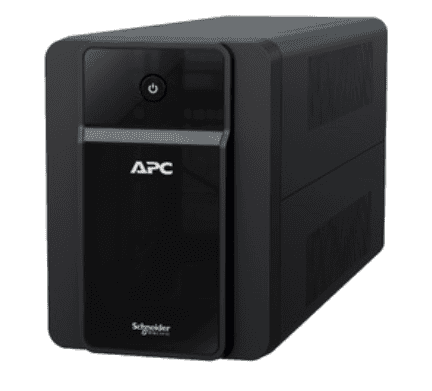
Most first-time UPS buyers in India look at VA rating and backup time, but forget to check something equally important — how many output sockets the APC Back-UPS actually has, and whether every socket is wired for battery backup. If you buy a unit expecting to run your desktop, monitor, Wi-Fi router, CCTV DVR and modem together, only to find you have just three usable outlets, you’ll end up juggling extension boards during a power cut — exactly when you need things to just work. This guide explains how APC Back-UPS output sockets are organised, how many devices different VA models can realistically support, and how to plan your outlets before you buy.
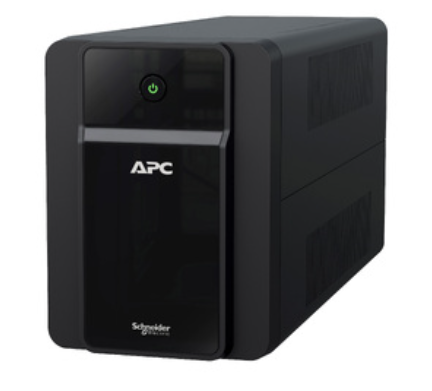
Battery-Backup vs Surge-Only Sockets: Does Your APC Model Have Both?
Many UPS buyers who research international APC models online come across the terms “battery backup outlets” and “surge-only outlets” — on larger US-market units, some sockets only filter surges and don’t run on battery at all during an outage. This trips people up because if you accidentally plug your router into a surge-only socket, it will go dead the instant the power fails, defeating the entire purpose of the UPS.
The good news for Indian buyers: most retail APC Back-UPS models sold here — the BX600, BX1100, and BR series — wire all their output sockets to the battery, with no surge-only split. This is a simpler, more buyer-friendly design suited to Indian homes and small offices where every connected device usually needs backup, not just surge filtering. That said, always check the label or user manual on your specific unit, since SKUs occasionally differ, and never assume — confirm before you wire up critical equipment like a CCTV recorder.
How Many Sockets Do Popular APC Back-UPS Models Offer?
Socket count varies by VA class and whether it’s a standard Back-UPS (BX series) or the premium Back-UPS Pro (BR series, pure sine wave). Here’s a practical comparison to help you plan before buying:
| Model Class | Typical Capacity | Approx. Output Sockets | Good For |
|---|---|---|---|
| APC Back-UPS 600VA (BX600) | 600VA / 360W | 3–4 sockets, all on battery | Wi-Fi router, modem, CCTV DVR, single light load |
| APC Back-UPS 1000–1100VA (BX1000/BX1100) | 1000–1100VA / 600–660W | 4–6 sockets, all on battery | Desktop PC + monitor + router, or small WFH setup |
| Back-UPS Pro 1000VA (BR series) | 1000VA / 600W | Up to 6 sockets, sine wave output | Sensitive electronics, external storage, printers |
| Back-UPS Pro 1500VA (BR series) | 1500VA / 865W | 6–8 sockets, sine wave output | Gaming PC or workstation with multiple peripherals |
Exact socket counts differ slightly between SKUs, so always check the datasheet for the specific model you’re buying from our line-interactive UPS range before finalising your purchase.
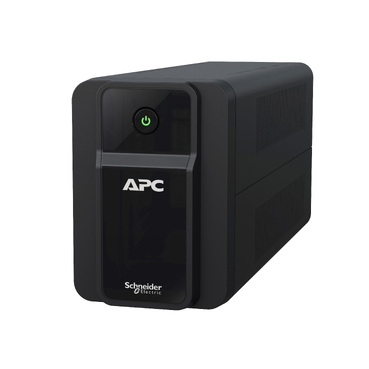
Should You Use an Extension Board on an APC Back-UPS Output?
If your devices outnumber your UPS sockets, it’s tempting to plug a multi-socket extension strip into one UPS outlet. This works, but with two conditions:
- Never exceed the UPS’s rated wattage. Adding an extension board doesn’t increase your UPS’s output capacity — a 600VA/360W unit still has only 360W to give, no matter how many sockets you plug into it.
- Avoid plugging high-draw devices into the extension. Keep laser printers, monitors with built-in speakers, or anything with a motor off a shared extension on a small UPS — these cause voltage dips that can trip the UPS’s overload protection.
- Use a good-quality extension strip without its own surge suppression circuitry that could interfere with the UPS’s own protection, and avoid daisy-chaining two extension boards together.
Priority Checklist: What to Plug In When Sockets Run Out
If you have more devices than sockets, prioritise based on what actually needs to survive a power cut, not what’s convenient to plug in:
- Wi-Fi router and modem — keeps you connected for calls and remote work even if the PC is off.
- CCTV DVR/NVR — security recording should never stop, especially overnight.
- Desktop CPU — protects against data loss from an abrupt shutdown.
- Monitor — nice to have on backup, but can be skipped on a smaller UPS to save runtime for the items above.
- Printer, speakers, chargers — generally fine to leave off the UPS and resume once power returns.
If your household or office consistently runs more devices than one Back-UPS can handle, it’s often more practical to add a second smaller unit for routers and CCTV rather than overloading one UPS. If you’re planning this for an office with several desks, our instant quotation tool lets you combine multiple UPS units and get a GST-inclusive PDF quote in minutes, without waiting on a salesperson.
Frequently Asked Questions
Do all APC Back-UPS sockets provide power during an outage?
On most Indian retail APC Back-UPS models (BX and BR series), yes — every output socket is wired to the battery. But always verify on your unit’s label, since export variants sometimes split sockets into battery-backup and surge-only groups.
Do all APC Back-UPS sockets provide power during an outage?On most Indian retail APC Back-UPS models (BX and BR series), yes — every output socket is wired to the battery. But always verify on your unit’s label, since export variants sometimes split sockets into battery-backup and surge-only groups.
Can I plug a power strip into my APC Back-UPS to get more outlets?
Yes, as long as the total load of everything plugged into the strip stays within your UPS’s rated wattage. Adding a strip doesn’t add capacity — it only adds convenience.
Why does my UPS beep and shut down when I plug in too many devices?
That’s the overload protection kicking in to protect the inverter circuit. Unplug a few devices, check your total wattage against the UPS rating, and consider stepping up to a higher-capacity model if this happens regularly.
Should my router and CCTV share the same UPS as my desktop?
If the combined load fits comfortably within the UPS’s wattage with some headroom left, yes — it’s convenient and cost-effective. For separate backup timing needs (e.g., CCTV needing far longer runtime than a desktop), a dedicated small UPS for networking gear is often the better choice.
Shop what this guide covers
- APC Back-UPS — for home & small officeLine-interactive UPS for desktops, Wi-Fi routers, CCTV and billing machines.
- Build an instant APC UPS quotationGST worked out, freight to your pincode, numbered PDF emailed in about a minute.
What size UPS do I need? »Find the battery for my UPS »Ask us on WhatsApp
Related guides
- Hardwired or Plug-In? APC Smart-UPS Input/Output Connections Explained Before You Buy (India 2026)
- How Many Hours of Backup Do You Need? Matching Your APC Back-UPS to India’s Power Cut Patterns (2026 Guide)
- How Many Times Can You Extend Your APC UPS Warranty? Maximum Coverage Period Explained (India 2026)
- Is Every APC Smart-UPS Online Truly Pure Sine Wave? THD Specs Explained Before You Buy (India 2026)
- APC Extended Warranty for Back-UPS vs Smart-UPS Online: How Coverage, Price & Service Differ (India 2026)
All UPS & power-backup guides · APC battery replacement chart · APC UPS dealer in your city