
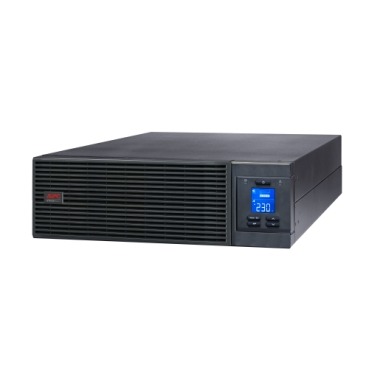
If your office, retail chain, or server room runs more than one or two APC UPS units, buying extended warranty one unit at a time is a slow, error-prone way to protect your investment. Different purchase dates, different expiry dates, different serial numbers to track — it gets messy fast. This guide walks Indian businesses through how to plan and buy APC extended warranty for multiple UPS units in one clean, budgeted exercise instead of scrambling unit-by-unit when each one nears expiry.

Why Businesses End Up With a Warranty Mess
Most Indian offices don’t buy all their UPS units on the same day. A branch office might add a Back-UPS for a new desk, IT might swap in an online UPS for a new server, and reception might have a stabiliser-protected UPS bought two years ago. The result: five or six units, five or six different warranty expiry dates, and no single view of what’s covered and what isn’t. When a unit fails outside warranty, the business absorbs the full repair or replacement cost — often at the worst possible time.
Step 1: Build a UPS Asset Register First
Before buying any extended warranty pack, list every UPS in your business with these details:
- Model number and VA/kVA rating (e.g., BX1100C, BR1500G, SRV6KI)
- Serial number (needed for warranty registration)
- Original purchase date and invoice number
- Original manufacturer warranty end date
- Location/department using it
- Criticality — is it powering a server, a POS terminal, or just a printer?
This register takes an hour to build and saves days of confusion later. It also tells you which units are approaching warranty expiry soon versus which have 12+ months of cover left — critical for deciding purchase timing.
Step 2: Group Units by Renewal Urgency, Not by Purchase Batch
Don’t renew everything on one calendar date just because it’s convenient. Group units into three buckets:
| Bucket | Warranty Status | Action |
|---|---|---|
| Urgent | Expires within 60 days | Buy extension now, before cover lapses |
| Near-term | 3–9 months remaining | Plan and budget this quarter |
| Comfortable | 9+ months remaining | Track, no action yet |
This prevents both wasted spend (extending a unit that already has a year left) and risk (a critical server UPS lapsing unnoticed).
Step 3: Match the Right Pack to Each Model
APC extended warranty packs are sold as model-specific SKUs — a pack that fits a Back-UPS won’t fit an Easy-UPS Online, and packs differ by VA/kVA band even within the same series. When buying for several units at once, check each model’s rated capacity and existing warranty tier before ordering, since the wrong pack won’t register against the serial number. Businesses often mix consumer-grade Back-UPS units with online UPS in the server room, so budget for two or three different pack SKUs rather than assuming one size covers everything. Browsing the full range of extended warranty packs by model helps you shortlist the correct SKU for each unit in your register before you place the order.
Step 4: Decide Onsite vs Carry-In per Location
For a single office, carry-in service may be fine. For multiple branches or a server room that can’t go offline, onsite cover is worth the extra cost — factor this into your per-unit budget rather than applying one service level to every location blindly.
Step 5: Get One Consolidated Quotation, Not Five Separate Ones
For procurement, finance approval, and GST invoicing, it’s far cleaner to raise one purchase order covering all warranty packs and any replacement batteries or stabilisers needed at the same time, rather than five separate small orders across different months. This also usually simplifies freight and paperwork. You can build this yourself in a couple of minutes using the instant quotation builder, which generates a numbered PDF quotation with GST and freight included — useful for tender documentation or internal approval, without needing a salesperson to go back and forth on line items.

Step 6: Set a Recurring Review, Not a One-Time Fix
Once your fleet is caught up, put a quarterly calendar reminder to review the asset register again. New UPS units get added, old ones get decommissioned, and warranty dates keep moving. A 15-minute quarterly check is far cheaper than an unplanned repair bill on a unit nobody realised had lapsed.
Frequently Asked Questions
Can I buy extended warranty for units bought at different times in one order?
Yes. Each pack is registered against its own serial number, so there’s no restriction on combining multiple models and purchase dates into a single order — it just needs to be itemised correctly on the quotation.
Does bulk buying reduce the price per unit?
Businesses ordering multiple packs together should always ask for a consolidated quotation, since combined orders are typically easier to process for freight and invoicing even where per-unit list pricing doesn’t change.
What happens if one unit’s warranty has already lapsed for a few months?
Extension packs generally need to be bought before or shortly after the original warranty ends. A unit that’s been out of cover for a long period may need inspection before a new pack can be applied, so it’s best to prioritise your “urgent” bucket first.
Should server-room UPS and desk UPS be renewed on the same schedule?
Not necessarily — align renewal timing to each unit’s actual expiry date and criticality rather than forcing one company-wide date, so your critical online UPS in the server room never gets treated with the same low urgency as a desk-level Back-UPS.
Shop what this guide covers
- APC Back-UPS — for home & small officeLine-interactive UPS for desktops, Wi-Fi routers, CCTV and billing machines.
- APC Smart-UPS & online UPSDouble-conversion, pure sine-wave power for servers, racks and critical loads.
- APC extended warranty packsExtend cover on your UPS by 1 to 3 years, registered to your serial number.
- All APC UPS systemsThe full genuine APC range, with GST invoice and pan-India delivery.
What size UPS do I need? »Find the battery for my UPS »Ask us on WhatsApp
Related guides
- Is an APC Extended Warranty Pack Worth the Cost? An ROI Guide for Indian Businesses (2026)
- Does APC Extended Warranty Transfer If You Sell, Relocate or Upgrade Your UPS? (India 2026 Guide)
- What Determines the Price of an APC Extended Warranty Pack in India? (2026 Buyer’s Guide)
- Does APC Extended Warranty Cover Lightning & Voltage Surge Damage in India? (2026 Buyer’s Guide)
- Can You Buy an APC Extended Warranty Pack After Your UPS Warranty Has Already Expired? (India 2026 Guide)
All UPS & power-backup guides · APC battery replacement chart · APC UPS dealer in your city