
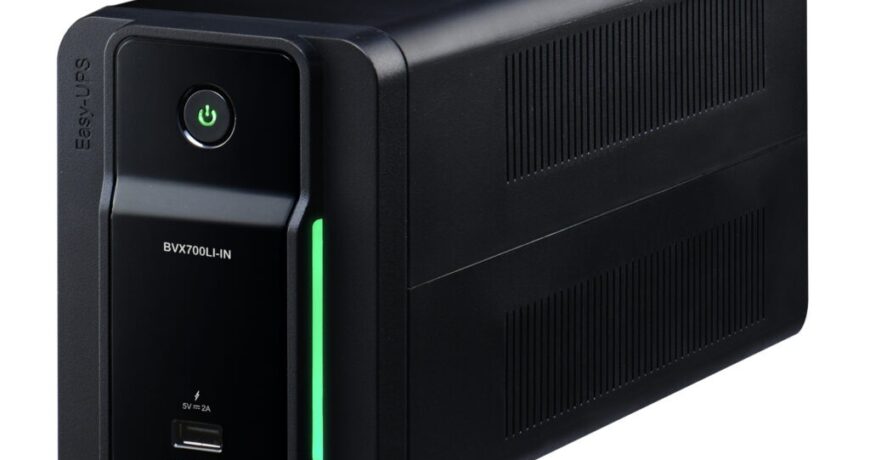
Choosing a UPS (uninterruptible power supply) comes down to one number more than any other: the VA rating. Pick too small and your UPS shuts down the moment the power cuts; pick too large and you overpay for capacity you’ll never use. This guide explains exactly how to size a UPS for your home or office in 2026 — with a simple calculation, real examples, and recommendations for Indian conditions.
What does “VA” mean on a UPS?
VA stands for volt-amperes — the apparent power a UPS can deliver. You’ll usually see UPS models rated like 600VA, 1100VA, or 1KVA (1000VA). The higher the VA, the more equipment the UPS can support and, generally, the longer it can run on battery.
VA vs Watts — the difference that trips people up
Equipment is often rated in watts (W), but UPS units are rated in VA. They are not the same. The relationship is: Watts = VA × Power Factor. Most modern UPS units have a power factor of around 0.6–0.9. A safe rule of thumb: a UPS supports a real load of roughly 60% of its VA rating in watts. So a 1000VA UPS comfortably handles about 600W of equipment.
How to calculate the UPS size you need (3 steps)
- List every device you want backed up and note its wattage (a Wi-Fi router ~10W, a desktop PC ~150–300W, an LED TV ~80W).
- Add up the total watts.
- Divide by 0.6 to get the minimum VA, then add ~20–25% headroom for safety and future devices.
Example: A desktop PC (200W) + monitor (40W) + router (10W) = 250W. 250 ÷ 0.6 = ~417VA. Add headroom → a 600VA UPS is the practical minimum, and an 800–1100VA model gives noticeably longer backup.
Recommended UPS sizes by use case
| What you’re backing up | Typical load | Recommended UPS |
|---|---|---|
| Wi-Fi router + ONT/modem | 15–30W | 600VA |
| Desktop PC + monitor | 250–350W | 800–1100VA |
| CCTV / DVR setup | 60–150W | 600–1000VA |
| Gaming PC | 400–650W | 1100–1500VA |
| Small office (2–3 systems) | 600–900W | 1.5–2KVA |
How long will the UPS run on battery?
VA tells you how much you can connect; runtime tells you for how long. Runtime depends on the battery capacity versus the connected load — the lighter the load relative to the UPS rating, the longer it lasts. For longer backup, choose a higher-VA model or one that supports external battery packs (common on APC Smart-UPS models).
Common UPS-sizing mistakes to avoid
- Using the VA number directly as watts — always apply the 0.6 factor.
- Forgetting future devices — leave 20–25% headroom.
- Backing up laser printers — never connect a laser printer to a UPS; its surge can overload the unit.
- Ignoring the battery’s age — a 3–4 year old battery delivers far less runtime than its rating.

Quick recommendations
For most Indian homes, a 600–1100VA Back-UPS covers routers, a desktop, and CCTV with room to spare. For offices or longer backup, step up to a Smart-UPS with external-battery support.
- Browse the full range in our APC UPS collection.
- Popular home pick: the APC Back-UPS BX1100C-IN (1100VA).
- For workstations with sine-wave output: the APC Back-UPS Pro BR1000G-IN.
- For servers and longer runtime: the APC Smart-UPS SRC1KUXI (1KVA Online).
Final word
Sizing a UPS isn’t complicated once you separate VA from watts: total your wattage, divide by 0.6, add headroom, and match it to a model with enough runtime. Get it right and you’ll have clean, uninterrupted power for exactly the devices that matter — without overspending.
Shop what this guide covers
- APC BX1100C-IN battery replacementThe correct RBC2 cartridge for the BX1100C-IN (1100VA).
- APC BR1000G-IN battery replacementThe correct RBC144 cartridge for the BR1000G-IN (1000VA).
- APC Back-UPS — for home & small officeLine-interactive UPS for desktops, Wi-Fi routers, CCTV and billing machines.
- APC Smart-UPS & online UPSDouble-conversion, pure sine-wave power for servers, racks and critical loads.
What size UPS do I need? »Find the battery for my UPS »Ask us on WhatsApp
Related guides
- APC Back-UPS vs APC Easy-UPS BVX: Should You Buy a Lithium-Ion UPS for Home or Office in India? (2026)
- Onsite vs Carry-In APC Extended Warranty: Which Service Type Should You Choose in India? (2026 Guide)
- APC RBC Replacement Battery Warranty in India: What’s Covered, What’s Not, and How to Claim (2026 Guide)
- What Determines the Price of an APC Extended Warranty Pack in India? (2026 Buyer’s Guide)
- Sizing an APC Line-R Stabilizer for Refrigerators, ACs & Pumps: Why Starting Surge Matters More Than Running Watts (India 2026)
All UPS & power-backup guides · APC battery replacement chart · APC UPS dealer in your city