
Working from home has become a way of life for millions of Indians, and nothing kills productivity faster than a sudden power cut mid-video-call or an unsaved document disappearing in a voltage surge. A UPS (Uninterruptible Power Supply) is your first line of defence — but buying the wrong one means either paying for capacity you never use or, worse, running out of runtime when you need it most. This guide walks you through exactly how to size a UPS for a typical Indian home office setup, step by step, with no guesswork.

Why Home Office Sizing Is Different from General Use
A home office load is not the same as a simple home PC setup. You are likely running a combination of a desktop or laptop, one or two monitors, a broadband router, a network switch, a desk lamp, and possibly an inkjet or laser printer. Some setups also include a NAS drive or a small IP camera. Each device adds to your total power draw, and the UPS must handle all of them simultaneously without tripping or overloading.
Indian power supply conditions add another layer of complexity. Frequent brownouts, voltage fluctuations between 160 V and 270 V, and load-shedding schedules that vary by city and season mean your UPS needs robust Automatic Voltage Regulation (AVR) in addition to battery backup. Sizing only for VA/watt capacity without accounting for runtime and AVR capability is a common and costly mistake.
Step 1 — List Every Device You Need to Protect
Start by writing down every piece of equipment that must keep running during a power cut. Be honest: do you need the printer to work during an outage, or just the PC and internet? Prioritising helps you keep costs down. Below is a typical Indian home office load profile:
| Device | Typical Wattage (W) | Priority? |
|---|---|---|
| Desktop PC (mid-range) | 120 – 200 W | Yes |
| 24-inch LED Monitor | 20 – 35 W | Yes |
| Broadband Router / Modem | 10 – 20 W | Yes |
| Network Switch (5-port) | 5 – 10 W | Yes |
| Laptop (via charger) | 45 – 65 W | Yes |
| Laser Printer | 400 – 900 W (during print) | No (usually) |
| External Hard Drive / NAS | 10 – 30 W | Recommended |
Important: Never connect a laser printer to a UPS unless that UPS is explicitly rated for it. The heating element draws a huge surge on every print job and can damage an undersized UPS instantly.
Step 2 — Calculate Your Total Load in Watts
Add up the wattage of all priority devices. For a typical Indian home office with a desktop PC (150 W), one monitor (30 W), a router (15 W), and a NAS (20 W), the total comes to roughly 215 W. Add a 20–25% safety buffer for startup surges and future expansion, bringing the real target to around 260–270 W.
UPS units are rated in VA (Volt-Amperes), not just Watts. VA accounts for the power factor of your load. A common rule of thumb for office equipment is a power factor of around 0.7–0.8. So divide your watt requirement by 0.7 to get the minimum VA rating:
Minimum VA = Total Watts ÷ Power Factor
Example: 270 W ÷ 0.7 ≈ 386 VA
In practice, you would round up to the next standard model size. In the APC lineup, that means looking at the 600 VA, 1000 VA, or 1100 VA range depending on your exact load and desired runtime.
Step 3 — Decide How Much Runtime You Actually Need
This is the question most buyers skip, and it leads to disappointment. Ask yourself: what is the typical duration of power cuts in your area?
- Short outages (5–15 minutes): Common in metro cities like Bengaluru, Mumbai, and Delhi where the grid recovers quickly. A 600 VA to 1000 VA UPS with a standard internal battery is usually enough to safely save work and shut down.
- Moderate outages (15–45 minutes): Typical in Tier-2 cities and peri-urban areas. A 1000 VA to 1100 VA UPS running a light load (under 200 W) will typically give you 20–30 minutes of runtime — enough to finish a meeting or transfer critical files.
- Extended outages (1 hour or more): Rural areas and some industrial zones. Here you need either an external battery pack, a larger UPS with an extended battery module (EBM), or a combination of a UPS plus an inverter for the non-critical loads.
Runtime drops sharply as load increases, so running your UPS at 50–60% of its rated capacity is the sweet spot for both battery health and runtime.

Step 4 — Choose Between Simulated and Pure Sine Wave Output
Most entry-level Back-UPS models produce a simulated (stepped approximation) sine wave on battery. This is perfectly fine for most desktop PCs with SMPS power supplies, monitors, and networking gear. However, if your setup includes:
- A laptop with an external charger (some chargers are sensitive to waveform)
- A NAS with multiple drives spinning up
- Active PFC power supplies in high-end workstations
- Medical or audio equipment
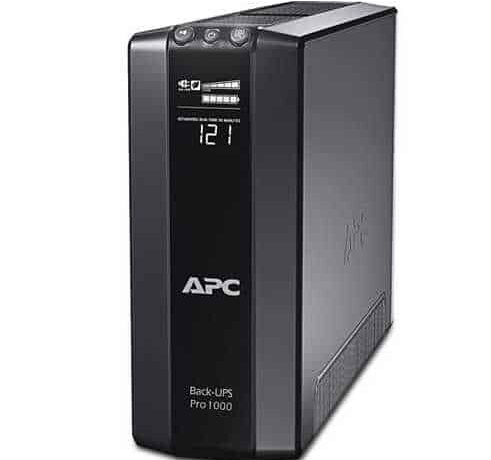
…then you should opt for a pure sine wave UPS. The APC Back-UPS Pro BR1000G is a well-regarded pure sine wave option in the 1000 VA range that suits most Indian home office requirements. For light loads that just need reliable AVR and battery backup, the APC Back-UPS BX1100 is a cost-effective and widely available choice.
Step 5 — Check Input Voltage Range (Critical for India)
Indian mains voltage is nominally 230 V but regularly dips to 160–180 V in many localities and spikes above 260 V during load shedding reconnection. A UPS with a wide input voltage tolerance (typically 160 V to 280 V) will use AVR to correct the voltage without switching to battery, which extends battery life significantly. Always check the input voltage range in the product datasheet before buying — this single specification can mean the difference between a battery that lasts three years and one that wears out in twelve months.
Quick Sizing Summary
- Light home office (laptop + router): 600 VA Back-UPS with AVR
- Standard home office (desktop + monitor + router + NAS): 1000–1100 VA Back-UPS or Back-UPS Pro
- Power-user workstation (high-end PC + dual monitors + peripherals): 1500–2000 VA, consider Smart-UPS for true online double-conversion
- Server or critical data equipment: APC Smart-UPS Online 1 kVA or higher for zero transfer time and pure sine wave output
Explore the full range of APC UPS systems available in India to compare models side by side and find the right fit for your home office budget and load profile.
Final Checklist Before You Buy
- List all devices you want on UPS backup and note their wattage.
- Exclude laser printers from the UPS circuit.
- Calculate total watts, add 25% buffer, then divide by 0.7 for VA.
- Decide your required runtime and check the runtime chart for that model at your expected load.
- Confirm the input voltage range covers 160 V–280 V for Indian conditions.
- Choose pure sine wave if you have active PFC PSUs, a NAS, or sensitive chargers.
- Check that replacement RBC batteries are available and affordable for the model you buy.
Getting the sizing right the first time saves you money, protects your equipment, and ensures that the next power cut is just a minor inconvenience rather than a lost workday.
Shop what this guide covers
- Genuine APC RBC replacement batteriesFactory-sealed APC Replacement Battery Cartridges with full manufacturer warranty.
- APC Back-UPS — for home & small officeLine-interactive UPS for desktops, Wi-Fi routers, CCTV and billing machines.
- APC Smart-UPS & online UPSDouble-conversion, pure sine-wave power for servers, racks and critical loads.
- All APC UPS systemsThe full genuine APC range, with GST invoice and pan-India delivery.
What size UPS do I need? »Find the battery for my UPS »Ask us on WhatsApp
Related guides
- APC Back-UPS vs APC Easy-UPS BVX: Should You Buy a Lithium-Ion UPS for Home or Office in India? (2026)
- Do You Need an APC Line-R Stabilizer for Your TV & Home Theatre? (India 2026 Buying Guide)
- APC Back-UPS vs Home Inverter: Which Should You Buy for Power Backup in India? (2026 Guide)
- 7Ah vs 9Ah vs 18Ah APC RBC Batteries: Which Capacity Does Your UPS Actually Need? (India 2026 Buying Guide)
- Does APC Extended Warranty Transfer If You Sell, Relocate or Upgrade Your UPS? (India 2026 Guide)
All UPS & power-backup guides · APC battery replacement chart · APC UPS dealer in your city