
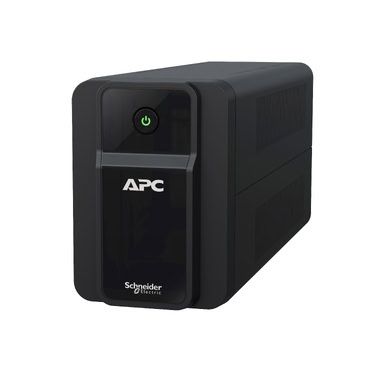
Power cuts in India don’t just shut down your computer — they kill your internet too. The moment your electricity supply blinks, your WiFi router and fibre/broadband modem lose power, dropping you off video calls, online classes, and work-from-home sessions. While most people think of UPS systems only for PCs and CCTV, a small UPS dedicated to your router and modem is one of the smartest, cheapest power-backup investments you can make. This guide explains exactly how to size, choose, and connect a UPS for your home networking setup in India.
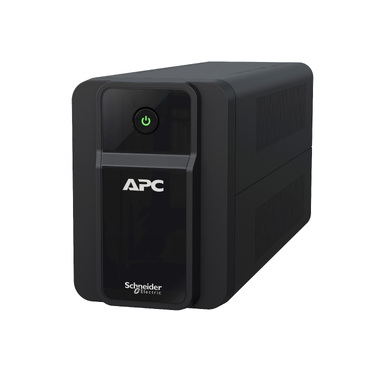
Why Your Router Needs Its Own UPS
Your broadband ONT (Optical Network Terminal), modem, and WiFi router draw very little power — usually a combined 20 to 40 watts. Yet during a power outage, they’re the first devices to go dark. If you have a backup internet plan, a laptop with a charged battery, or rely on your home network for IP cameras and smart devices, keeping the network alive is critical.
The good news: because the power draw is tiny, even a small UPS can deliver hours of runtime. A dedicated networking UPS is far cheaper than running an inverter for your whole home, and it switches over instantly so your connection never drops.
Step 1: Calculate Your Power Requirement
Before buying, add up the wattage of every device you want to keep running. Check the power adapter label or rating sticker on each unit.
| Device | Typical Power Draw |
|---|---|
| Fibre ONT / GPON box | 8–12 W |
| Broadband modem | 5–10 W |
| WiFi router (single) | 8–18 W |
| Mesh node (each) | 6–12 W |
| Network switch (5-port) | 3–5 W |
A typical home setup (ONT + router) draws roughly 25–35 watts. Even with a mesh system or an added switch, you’ll rarely exceed 60 watts.
Step 2: Pick the Right UPS VA Rating
UPS systems are rated in VA (volt-amperes). Most APC Back-UPS units have a power factor of around 0.6, so a 600VA unit delivers about 360W of usable power. Since your load is well under 100W, the limiting factor isn’t capacity — it’s runtime. The bigger the VA rating and battery, the longer your router stays online.
- For 30–40W load, 30–60 min backup: A 600VA UPS like the APC Back-UPS BX600 works well and is budget-friendly.
- For 40–60W load, 1.5–3 hours backup: Consider an APC Back-UPS 1100VA BX1100C-IN, whose larger battery stretches runtime dramatically on light loads.
- For long outages or critical work-from-home: A 1000VA Back-UPS Pro such as the APC BR1000G-IN gives several hours on a small network load while also covering a PC if needed.

Step 3: How to Connect Your Router & Modem to the UPS
Connecting your networking gear is simple and takes five minutes:
- Place the UPS near your router on a stable, ventilated surface — not in a closed cabinet where heat builds up.
- Charge it fully first. Plug the UPS into a wall socket and let it charge for 8–12 hours before relying on it.
- Connect to battery-backup outlets. APC Back-UPS units have two outlet types: battery + surge protected, and surge-only. Plug your ONT, modem, and router into the battery-backed sockets.
- Use the original adapters. Plug each device’s existing power adapter into the UPS outlet — no rewiring needed.
- Test it. Once charged, briefly switch off the wall power. Your WiFi should stay live and the UPS will beep to indicate it’s on battery.
Tip: If your devices use 12V DC adapters, you still plug the AC adapter into the UPS — the UPS supplies 230V AC, and the adapter converts it as usual.
Estimating Runtime for a Light Load
Because routers sip power, runtime on a small UPS is excellent. As a rough guide for a healthy battery:
| UPS Model | Load (~35W) | Approx. Runtime |
|---|---|---|
| 600VA Back-UPS | Router + ONT | 40–70 minutes |
| 1100VA Back-UPS | Router + ONT | 2–3 hours |
| 1000VA Back-UPS Pro | Router + ONT | 3–4 hours |
Actual runtime depends on battery age, room temperature, and exact load. Indian summer heat shortens battery life, so keep the UPS in a cool spot.
Important Do’s and Don’ts
- Do connect surge-prone devices to the surge-protected outlets — Indian voltage fluctuations can damage networking gear.
- Don’t overload the UPS with high-draw appliances like printers or fans. Keep it dedicated to networking for maximum runtime.
- Do replace the battery every 3–4 years, or sooner if runtime drops noticeably. Use a genuine APC RBC cartridge.
- Don’t place the UPS on the floor in dusty or damp areas — this is common in Indian homes and shortens lifespan.
- Do install APC PowerChute software if you want safe shutdown alerts and battery health monitoring (mainly useful when a PC shares the UPS).
Should You Combine With a Laptop or PC?
If you work from home, putting your laptop charger or desktop PC on the same UPS makes sense — but remember every added watt cuts runtime. A laptop charger adds 60–90W, while a desktop with monitor can pull 200W+. For that, step up to a 1000VA or 1100VA model so you keep both your machine and internet running comfortably during a cut.
Final Recommendation
For most Indian homes that only want to keep WiFi alive, a 600VA UPS is the sweet spot of price and performance. If outages in your area regularly last more than an hour, invest in an 1100VA model for the extra battery headroom. And if your router shares duty with a work PC, a Back-UPS Pro 1000VA is the safest all-round choice. Whichever you pick, a dedicated networking UPS means your video calls, online classes, and smart-home devices keep working — even when the lights go out.
Browse the full range of APC UPS systems to find the right model for your home network.
Shop what this guide covers
- APC BX1100C-IN battery replacementThe correct RBC2 cartridge for the BX1100C-IN (1100VA).
- APC BR1000G-IN battery replacementThe correct RBC144 cartridge for the BR1000G-IN (1000VA).
- Genuine APC RBC replacement batteriesFactory-sealed APC Replacement Battery Cartridges with full manufacturer warranty.
- APC Back-UPS — for home & small officeLine-interactive UPS for desktops, Wi-Fi routers, CCTV and billing machines.
What size UPS do I need? »Find the battery for my UPS »Ask us on WhatsApp
Related guides
- APC Back-UPS vs Home Inverter: Which Should You Buy for Power Backup in India? (2026 Guide)
- How Long Can an APC Back-UPS Power Your Wi-Fi Router & CCTV During a Long Power Cut? (India 2026 Sizing Guide)
- 7Ah vs 9Ah vs 18Ah APC RBC Batteries: Which Capacity Does Your UPS Actually Need? (India 2026 Buying Guide)
- Does APC Extended Warranty Transfer If You Sell, Relocate or Upgrade Your UPS? (India 2026 Guide)
- Do You Need an APC Line-R Stabilizer for Your TV & Home Theatre? (India 2026 Buying Guide)
All UPS & power-backup guides · APC battery replacement chart · APC UPS dealer in your city