
A gaming PC or high-end workstation is one of the most voltage-sensitive devices in an Indian home — a 500W+ power supply, a GPU drawing spikes of current, and electronics tuned for a clean 230V input. When the grid swings between 180V and 260V (common in many Indian towns), that hardware takes the hit silently, long before you notice a problem. The real question buyers ask before purchasing protection is simple: do you need a voltage stabilizer for gaming PC builds, a UPS, or both? This guide breaks down what each device actually does so you don’t overspend or under-protect.

Why Gaming PCs Are Especially Sensitive to Voltage Swings
Unlike a tube light or fan, a gaming PC has a switch-mode power supply, multiple capacitor-regulated rails, and a GPU that can spike current draw in milliseconds during load transitions. Chronic undervoltage forces the PSU to work harder and run hotter, shortening its life. Overvoltage spikes — common right after a power cut is restored — can damage the motherboard VRM or GPU power stage outright. Neither of these failure modes announces itself with a warning; you just get random reboots, BSODs, or a dead PSU a year or two earlier than expected.
What an APC Line-R Stabilizer Actually Does (and Doesn’t Do)
An APC Line-R voltage stabilizer continuously monitors incoming AC and boosts or trims it using a tapped transformer (AVR), delivering a steady output even when mains voltage drifts low or high. What it does not do is store energy — the moment the power cuts out, a stabilizer-only setup goes dark instantly, exactly like a direct wall connection. For a desk running only a monitor and PC, that’s a problem if you’re mid-render or mid-match when the grid fails.
What a UPS Adds That a Stabilizer Can’t
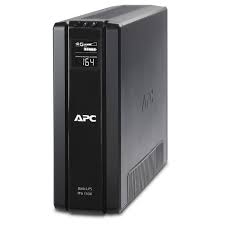
A line-interactive APC Back-UPS already includes AVR circuitry for voltage correction, plus a battery that kicks in within milliseconds of an outage — giving you time to save work and shut down cleanly. Models like the APC Back-UPS Pro (BR series) go a step further with pure sine wave output, which is the same waveform your PSU expects from mains, versus the stepped approximation some entry Back-UPS models use under battery power.
| Feature | APC Line-R Stabilizer | APC Back-UPS | APC Back-UPS Pro (BR) |
|---|---|---|---|
| Voltage correction (AVR) | Yes | Yes | Yes |
| Battery backup during outage | No | Yes (stepped/approx. wave) | Yes (pure sine wave) |
| Best for | Stable backup already present, only need voltage correction | Budget gaming rigs, casual use | High-end GPU builds, ATX PSUs 650W+ |
| Typical runtime at full gaming load | N/A | 5-10 minutes | 8-15 minutes |
Do You Need Both — Stabilizer and UPS?
If your gaming PC is already protected by an APC Back-UPS, you generally do not need a separate Line-R unit — the UPS’s built-in AVR already handles voltage correction. A standalone stabilizer makes sense in two specific cases: (1) you’re running a large monitor, speakers, or a separate NAS that you don’t want on UPS battery load, so you put the stabilizer on those and the UPS only on the PC/monitor combo that needs backup; or (2) your area has extreme voltage swings beyond what your UPS’s AVR range is rated for, and you want an upstream Line-R to narrow the range before it reaches the UPS.

Sizing Guide: Matching Capacity to Your Build
- Budget/mid-range PC (PSU 450-550W): APC Back-UPS 850VA-1100VA is usually sufficient with headroom for a monitor.
- High-end gaming PC (PSU 650-850W, single GPU): APC Back-UPS Pro 1000VA-1500VA (BR series) for sine wave output and comfortable headroom.
- Workstation/dual-GPU rigs (PSU 1000W+): Consider a higher-capacity Back-UPS Pro or a dedicated line-interactive unit sized at least 1.6x your PSU’s rated wattage to leave room for inrush current.
- Peripherals only (monitor, router, speakers) on a separate circuit: A Line-R 600-1200VA stabilizer is adequate since backup isn’t critical for these.
Decision Checklist Before You Buy
- Do you lose work or progress if the screen goes black instantly? If yes, you need battery backup — buy a UPS, not just a stabilizer.
- Is your PSU 650W or higher, or do you have a high-end GPU? Prioritise pure sine wave (BR series) over a standard Back-UPS.
- Is your area’s voltage swing severe (frequent below 160V or above 270V)? Check your UPS’s rated AVR input range before assuming it’s enough on its own.
- Do you have multiple devices (PC, monitor, router, NAS) that don’t all need backup? Split critical and non-critical loads between a UPS and a separate stabilizer.
Can I just use a stabilizer instead of a UPS for my gaming PC?
Only if sudden power loss causing an instant shutdown is acceptable to you — for example, a secondary PC. For your main gaming or work rig, a UPS is strongly recommended since it protects against both voltage swings and outages.
Does a Back-UPS already include stabilizer functionality?
Yes. Every APC Back-UPS includes AVR (Automatic Voltage Regulation), which performs the same boost/trim correction as a standalone Line-R stabilizer, in addition to providing battery backup.
Will a stabilizer protect my GPU from a lightning surge?
A stabilizer corrects voltage drift but isn’t designed as a dedicated surge suppressor for transient spikes. Most APC Back-UPS and Line-R units include surge protection circuitry, but for homes in high lightning-risk areas, additional surge protection at the distribution board is advisable.
How long will a UPS run my gaming PC during a power cut?
Expect roughly 5-15 minutes at full gaming load depending on capacity — enough to save your game or document and shut down safely, not for extended gaming sessions.
For most serious gaming PCs and workstations, a pure sine wave APC Back-UPS Pro gives you voltage correction and safe shutdown time in one box. Reserve a standalone APC Line-R stabilizer for non-critical peripherals or as backup correction where grid conditions are unusually harsh.
Shop what this guide covers
- APC BR1500G-IN battery replacementThe correct RBC144 cartridge for the BR1500G-IN (1500VA).
- APC Back-UPS — for home & small officeLine-interactive UPS for desktops, Wi-Fi routers, CCTV and billing machines.
- APC Line-R voltage stabilizersProtection against the voltage swings that shorten equipment life.
What size UPS do I need? »Find the battery for my UPS »Ask us on WhatsApp
Related guides
- Voltage Stabilizer for Water Purifiers, Microwaves & Kitchen Appliances: Do You Need an APC Line-R in India? (2026 Buying Guide)
- AVR in Your APC Back-UPS vs a Separate APC Line-R Stabilizer: Do You Need Both? (India 2026 Guide)
- Do You Need an APC Line-R Stabilizer for Your TV & Home Theatre? (India 2026 Buying Guide)
- APC Line-R Stabilizer Form Factors: Wall-Mount, Tabletop or Rack-Mount — Which Should You Buy? (India 2026)
- Sizing an APC Line-R Stabilizer for Refrigerators, ACs & Pumps: Why Starting Surge Matters More Than Running Watts (India 2026)
All UPS & power-backup guides · APC battery replacement chart · APC UPS dealer in your city