
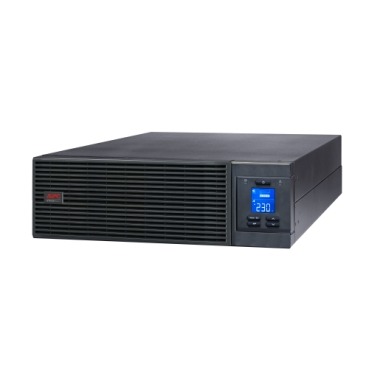
Most buyers compare APC Smart-UPS models on VA rating, runtime and price — and then get stuck at installation because nobody checked how the unit actually connects to the mains and to the load. APC Smart-UPS connection types fall into two broad categories, hardwired (terminal block) and plug-type (IEC sockets), and picking the wrong one for your site wiring can mean an expensive last-minute electrician visit or a UPS that simply cannot be commissioned the day it arrives. This guide explains both types, how to match them to your server room or office setup, and what to check before you place an order.

Why Connection Type Matters More Than You Think
An APC Smart-UPS isn’t just another appliance you plug into a wall socket once you cross a certain capacity. Above roughly 3 kVA, most online UPS models are designed to be hardwired directly into your distribution board, with a dedicated MCB and copper wiring sized to the UPS’s input current. Below that, smaller online and line-interactive units still use standard IEC or 5/15A sockets so they can be installed without an electrician. Buying the wrong connection type for your site means either paying for rewiring you didn’t budget for, or under-using a UPS that was designed for socket-and-play simplicity.
Hardwire vs Plug-Type: A Side-by-Side Comparison
| Feature | Hardwired Terminal Block | Plug-Type (IEC/5-15A) |
|---|---|---|
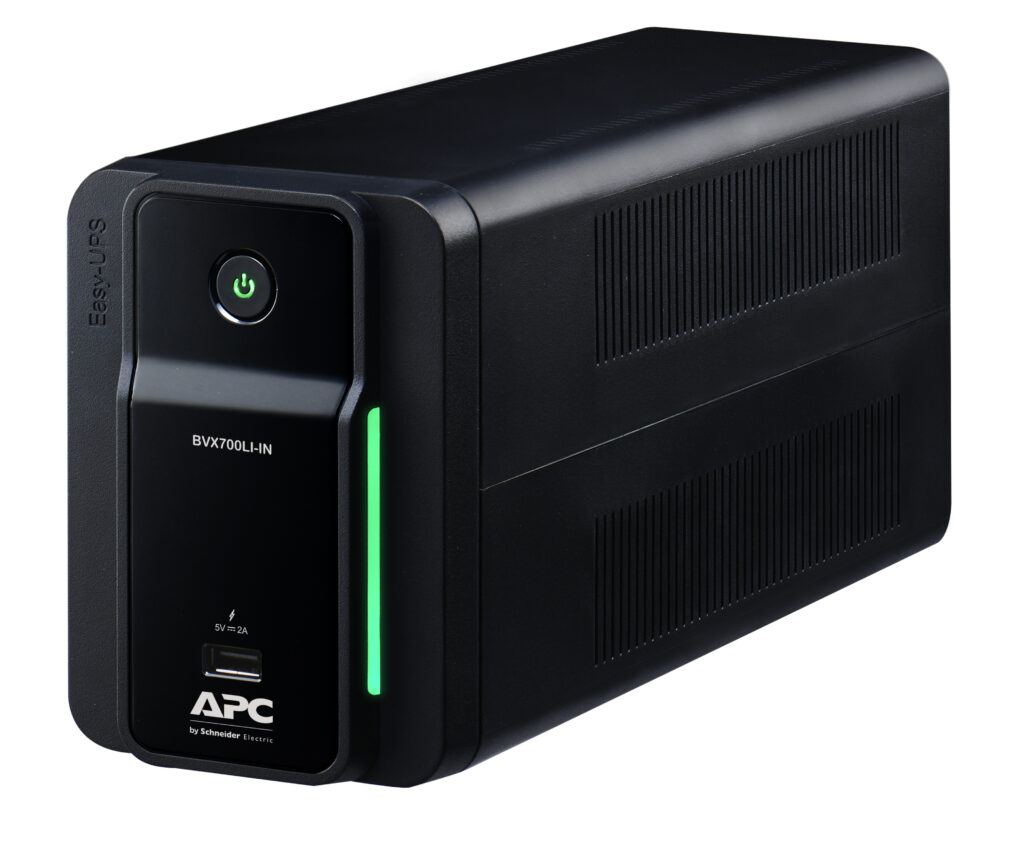
| Typical capacity range | 3 kVA and above (SMC/SMT/SRT, Easy-UPS SRV three-phase) | Up to ~3 kVA (SMT/SMC single-phase, Easy-UPS BVX) |
| Installation | Needs a licensed electrician and dedicated circuit | Plug directly into an existing socket |
| Output to load | Usually feeds a PDU or sub-panel | Direct IEC/5-15A outlets on the UPS itself |
| Best suited for | Server racks, dedicated server rooms, three-phase loads | Single desktop servers, NAS boxes, small network racks |
| Flexibility to relocate | Lower — rewiring needed if moved | High — move it like any appliance |
Matching Connection Type to Your Load and Site Wiring
Before shortlisting a model, walk through these checks:
- Confirm your incoming supply — single-phase 230V or three-phase 415V. Larger online UPS units for server rooms often need three-phase input even if the output is single-phase.
- Check your existing MCB/DB capacity — a hardwired UPS needs a circuit breaker rated for its maximum input current, not just the socket it would have otherwise used.
- Count your actual output requirements — if you have more servers, switches and storage units than the UPS has built-in outlets, you’ll need a rack-mount PDU downstream, which changes whether hardwire or plug-type output makes more sense.
- Factor in future expansion — if you’re likely to add an extended battery module or a second UPS for redundancy later, hardwired installations are easier to standardise across multiple units.
- Ask about the maintenance bypass — larger hardwired online UPS units are typically paired with an external bypass switch for servicing without downtime; plug-type units generally aren’t.
For most dedicated server rooms and data closets, browsing the APC online UPS range will show you clearly which models are plug-type and which require hardwiring, listed against their kVA capacity.
A Simple Installation Checklist Before You Order
- Measure your total connected load in watts, not VA, including any growth headroom.
- Identify whether your building supply is single-phase or three-phase at the point of installation.
- Check the physical space — hardwired units often need rack or floor mounting with clearance for cabling.
- Confirm whether you’ll need a PDU for output distribution to multiple racks.
- Get written confirmation from your electrician on available MCB capacity before finalising the model.
- If you’re ordering for more than one server room or branch office, get a consolidated quotation covering UPS, batteries and installation accessories together — our instant quotation builder lets you add multiple units and get a numbered PDF with GST and freight in a couple of minutes, without waiting on a salesperson.
Frequently Asked Questions
Can a hardwired APC Smart-UPS be converted to plug-type later?
Not on most models — the input/output configuration is fixed at the factory. If you anticipate needing flexibility to relocate the UPS, it’s better to choose a plug-type model upfront even if it means staying within a slightly smaller capacity range.
Do I need an electrician for every online UPS installation?
Only for hardwired units and for three-phase input models. Single-phase plug-type UPS units up to around 3 kVA can usually be installed by site staff by simply connecting to an existing dedicated socket.
What if my server rack needs more output points than the UPS provides?
Add a rack-mount PDU (power distribution unit) downstream of the UPS output. This is standard practice in server rooms running more than two or three devices off a single UPS.
Is a hardwired UPS safer than a plug-type one for high loads?
Generally yes — hardwiring with a correctly rated MCB avoids the risk of overloading a standard wall socket or extension board, which is a real concern once you cross a few kVA of continuous load.
Shop what this guide covers
- UPS Installation & CommissioningSiting, connection, battery fitting, load check and shutdown-software setup, handed over working.
- APC Smart-UPS & online UPSDouble-conversion, pure sine-wave power for servers, racks and critical loads.
- Build an instant APC UPS quotationGST worked out, freight to your pincode, numbered PDF emailed in about a minute.
What size UPS do I need? »Find the battery for my UPS »Ask us on WhatsApp
Related guides
- APC RBC Battery Terminal Types Explained: F1 vs F2 vs Bolt-On — Which Fits Your UPS? (India 2026)
- APC Smart-UPS Online Running Costs in India: Double-Conversion Efficiency, ECO Mode & Electricity Bills Explained (2026)
- Standard Runtime vs Long Runtime APC Smart-UPS Online: Which Should You Buy for Your Server Room? (India 2026)
- How Many Times Can You Extend Your APC UPS Warranty? Maximum Coverage Period Explained (India 2026)
- Where Should You Install Your APC Online UPS? Noise, Heat & Space Checklist Before You Buy (India 2026)
All UPS & power-backup guides · APC battery replacement chart · APC UPS dealer in your city