
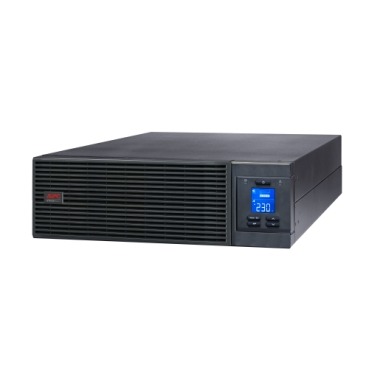
Buying the right VA/kVA rating is only half the job when you’re putting an online UPS for your server room. Many Indian businesses order a perfectly sized APC Smart-UPS or Easy-UPS Online SRV, only to find installation delayed because the room isn’t ready — no dedicated circuit, poor ventilation, or battery cabinets that won’t fit through the door. This guide walks through what to check on-site before you place the order, so the unit works reliably from day one instead of sitting in a corner while electricians scramble.

Why Site Readiness Matters More for Online UPS Than for Home Back-UPS
A line-interactive Back-UPS at home just needs a wall socket. An online, double-conversion UPS for a server room is a different animal — it draws continuous input current, generates heat during 24×7 operation, and often ships with heavy external battery packs. Getting the site wrong doesn’t just delay installation; it can trip breakers, overheat batteries, or void your warranty claim later.
1. Dedicated Electrical Circuit & Input Capacity
Online UPS units (typically 1kVA to 20kVA+ in the APC Smart-UPS and Easy-UPS Online range) need a dedicated MCB/circuit sized to the unit’s rated input current — not shared with lights, ACs or other office loads. Before ordering:
- Confirm your incoming supply is 3-phase if you’re sizing above ~10kVA, or check if your model supports single-phase input up to higher capacities.
- Size the MCB per the datasheet’s maximum input current, with margin for inrush current at startup.
- If your area has frequent voltage swings beyond the UPS’s input tolerance window, plan for a stabilizer or check the wider APC voltage stabilizer range as upstream protection — though a true online UPS already regulates output independently of input swings.
2. Physical Space, Clearance & Floor Loading
Rack-mount online UPS units need front and rear clearance for airflow and cable access — typically 100-150mm minimum at the rear, more if hot-swap batteries are involved. Tower units and external battery packs (EBMs) need floor space and, in multi-battery setups, floor load capacity — a fully loaded EBM cabinet can weigh 60-100kg. Measure doorways and lift access too; a 6kVA-10kVA online UPS with battery cabinet often can’t be walked through a standard office door fully assembled.
3. Ventilation & Ambient Temperature
Every 10°C above 25°C ambient roughly halves battery life in a sealed lead-acid UPS battery. Server rooms running online UPS systems 24×7 need:
- Dedicated AC or at minimum forced ventilation — not just a ceiling fan.
- Ambient temperature ideally between 20-25°C for both the electronics and the batteries.
- No direct sunlight or proximity to heat-generating equipment like network switches stacked without gaps.
4. Load Segregation & Future Headroom
Before finalising capacity, list every device that will sit on the UPS — servers, NAS, core switches, firewalls — and separate it from non-critical loads like printers or workstation monitors that don’t need double-conversion protection. A common mistake is oversizing the online UPS to cover the entire office instead of just the critical rack, which wastes battery capacity and increases cost. If you’re comparing topology choices at this stage, our detailed guide on online UPS systems versus line-interactive models is worth reviewing before finalising the shortlist.
5. Earthing, Neutral & Cabling
Online UPS systems are sensitive to a proper earth reference — a floating or shared neutral-earth connection is one of the most common causes of nuisance tripping and even equipment damage. Get your electrician to verify:
- A dedicated earth pit with resistance under 1-5 ohms (per local code).
- Separate neutral and earth conductors all the way to the panel.
- UPS output wiring rated for the full load current, not just
Shop what this guide covers
- APC Back-UPS — for home & small officeLine-interactive UPS for desktops, Wi-Fi routers, CCTV and billing machines.
- APC Smart-UPS & online UPSDouble-conversion, pure sine-wave power for servers, racks and critical loads.
- APC Line-R voltage stabilizersProtection against the voltage swings that shorten equipment life.
What size UPS do I need? »Find the battery for my UPS »Ask us on WhatsApp
Related guides
- Does Your APC Online UPS Need a Maintenance Bypass Switch? A Server Room Buying Guide (India 2026)
- How Long Will Your APC Smart-UPS Online Really Last? Runtime vs Load Guide for Indian Server Rooms (2026)
- Does Your APC Line-R Stabilizer Need Earthing? Installation & Safety Checklist Before You Buy (India 2026)
- APC Smart-UPS Online Running Costs in India: Double-Conversion Efficiency, ECO Mode & Electricity Bills Explained (2026)
- Do You Need an Isolation Transformer with Your APC Online UPS? (India Buying Guide 2026)
All UPS & power-backup guides · APC battery replacement chart · APC UPS dealer in your city