
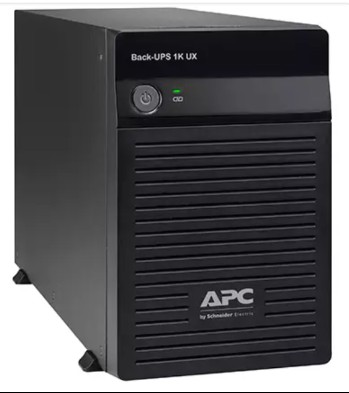
If you’re shopping for an APC Back-UPS to protect one desktop computer at home or in a small office, the two questions that decide your purchase are simple: which VA model do I need, and how many minutes of backup will I actually get? Indian buyers often over-buy (paying for VA they never use) or under-buy (so the PC shuts down the moment power cuts). This guide gives you a practical, India-specific way to size a single-desktop APC Back-UPS correctly the first time.

Step 1: Add up what your desktop actually draws
A common myth is that a 500W SMPS means your PC draws 500W. In reality, an everyday office or browsing desktop with a basic monitor pulls only 80–150 watts from the wall. A productivity machine with a mid-range graphics card sits around 150–250W. Only gaming rigs cross 300W.
Add your devices:
- Office/home desktop + 22″ LED monitor: ~120–160W
- Mid-range PC + 24″ monitor: ~180–250W
- Wi-Fi router + modem (often on the same UPS): ~15–25W
- External speakers / small printer (standby): ~10–20W
A typical single-desktop setup therefore needs the UPS to carry 150–280W of real load.
Step 2: Convert watts to VA (the 0.6 power-factor rule)
APC Back-UPS models are rated in VA. Most BX-series units have a power factor of around 0.6, meaning a 1100VA unit handles roughly 660W. Pro BR-series units have a higher 0.9 power factor, so they deliver more usable watts per VA. The safe rule: VA = Watts ÷ 0.6 for BX, and keep total load under 70% of the UPS capacity for healthy runtime.
| Your desktop load | Recommended APC model | Series & type |
|---|---|---|
| Up to ~120W (basic PC + router) | Back-UPS 600VA (BX600) | BX — entry, stepped sine |
| 120–250W (mainstream desktop) | Back-UPS 1000VA / 1100VA | BX — value, stepped sine |
| 200–350W (PC + dual monitor / SSD-heavy) | Back-UPS Pro 1000VA (BR1000G) | BR — pure sine wave |
| 300–500W (workstation / light gaming) | Back-UPS Pro 1500VA (BR1500G) | BR — pure sine wave |
For active-PFC SMPS units (most modern PCs with 80 PLUS power supplies), prefer a pure sine wave BR-series Back-UPS. Stepped/simulated sine output can cause some PFC supplies to click, beep or even refuse to run on battery. You can compare these and other models in the APC line-interactive Back-UPS range.
Step 3: Estimate real backup time
A single-desktop Back-UPS is not meant to run your PC for an hour — it’s meant to bridge short cuts and give you time to save and shut down. Realistic numbers for a 150–200W load:
- Back-UPS 600VA: 5–10 minutes at light load (router-only loads stretch much longer)
- Back-UPS 1000/1100VA: 8–18 minutes
- Back-UPS Pro 1000/1500VA: 12–25 minutes
These are fresh-battery estimates at 25°C. In Indian summers, a hot, poorly ventilated room can cut runtime noticeably — keep the UPS in open air, not boxed inside a table cabinet.

Step 4: Match the model to your goal
Decide what you actually want the UPS to do:
- Just survive flickers and 2–5 minute cuts: a 600VA or 1000VA BX is plenty.
- Finish saving a document and shut down cleanly: 1000–1100VA gives comfortable margin.
- Keep working through 10–20 minute cuts: step up to a BR1000G or BR1500G, or consider an inverter/longer-runtime solution.
- Protect a sensitive PFC PC or workstation: always choose a pure sine wave BR model.
If your power cuts routinely last over 30–45 minutes, a small UPS is the wrong tool — look at an inverter or a lithium Easy-UPS BVX with larger battery capacity instead.
Step 5: Don’t forget surge, AVR and battery
India’s bigger threat is often not the cut itself but the voltage swings and spikes around it. Line-interactive Back-UPS units include AVR (Automatic Voltage Regulation) that corrects sags and surges without switching to battery — this protects your SMPS and extends battery life. Years later, when runtime drops, you simply replace the internal battery using the correct APC RBC replacement cartridge rather than buying a whole new UPS.
Quick recommendation for most Indian homes
For a typical single desktop + monitor + router, the Back-UPS 1000VA/1100VA (BX) is the value pick. If you run a modern PFC power supply, a high-end build, or want clean output for longer-life equipment, spend a little more on the Back-UPS Pro 1000VA (BR1000G). Browse current options in the full APC UPS catalogue to match availability.
Frequently Asked Questions
Can a 600VA UPS run my desktop PC?
Only if your total load is under ~120W and you just need a couple of minutes to save and shut down. For anything more than a basic office PC, choose at least a 1000VA model for safer margin and usable runtime.
Do I need a pure sine wave UPS for a normal desktop?
If your PC uses an active-PFC 80 PLUS power supply (most newer builds), a pure sine wave BR-series Back-UPS is safer and quieter. Older or basic supplies usually run fine on a stepped sine BX model.
Why does my UPS give less backup than advertised?
Quoted runtimes assume a small load and a fresh battery at 25°C. Higher load, an aging battery, or a hot Indian room all reduce real backup. Keep the UPS ventilated and replace the battery roughly every 3–4 years.
Should I plug my Wi-Fi router into the same UPS?
Yes — routers and modems draw very little (15–25W), so adding them barely affects runtime and keeps you online during cuts. Use the UPS’s battery-backed outlets, not the surge-only ones.
Shop what this guide covers
- Genuine APC RBC replacement batteriesFactory-sealed APC Replacement Battery Cartridges with full manufacturer warranty.
- APC Back-UPS — for home & small officeLine-interactive UPS for desktops, Wi-Fi routers, CCTV and billing machines.
- All APC UPS systemsThe full genuine APC range, with GST invoice and pan-India delivery.
What size UPS do I need? »Find the battery for my UPS »Ask us on WhatsApp
Related guides
- How Long Can an APC Back-UPS Power Your Wi-Fi Router & CCTV During a Long Power Cut? (India 2026 Sizing Guide)
- How Long Will Your APC Smart-UPS Online Really Last? Runtime vs Load Guide for Indian Server Rooms (2026)
- Cold-Start Feature in APC Back-UPS: Why It Matters for Wi-Fi Routers & CCTV During Long Power Cuts (India 2026)
- How Many Batteries Does Your APC UPS Actually Need? Single vs Multi-Battery RBC Packs Explained (India 2026)
- APC Back-UPS Model Numbers Decoded: What BX, BV, BR & BVX Codes Mean Before You Buy (India 2026)
All UPS & power-backup guides · APC battery replacement chart · APC UPS dealer in your city