
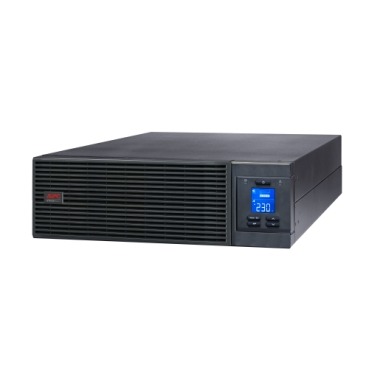
If you’ve decided your servers, NAS, or networking rack need a true online (double-conversion) UPS, the next question trips up most Indian buyers: Smart-UPS or Easy-UPS Online? Both deliver pure sine-wave output and battery backup, but they sit at different price points, offer different feature depth, and suit very different environments. This guide compares the two APC families head-to-head — topology, sizing, runtime, manageability and total cost — so you buy the right machine the first time instead of over-spending or under-protecting your critical load.

First, are you sure you need online (not line-interactive)?
Online double-conversion UPS continuously rebuilds the AC waveform, giving zero transfer time and a clean, regulated sine wave regardless of how dirty the grid is. That matters in India where voltage sag, surges and frequency drift are routine. But it costs more and runs warmer. Line-interactive units (the APC Smart-UPS SMV/SMT range) are cheaper, more efficient, and perfectly fine for many setups.
- Choose online for production servers, virtualization hosts, medical/lab equipment, generator-fed sites, or anywhere with very unstable mains and frequent voltage swings.
- Choose line-interactive for a single workstation, small NAS, networking gear, or a branch office on a reasonably stable supply.
If you’re still weighing topology, read our breakdown of online UPS systems versus the more economical line-interactive UPS range before committing budget.
APC Smart-UPS vs Easy-UPS Online: the core difference
People often say “Smart-UPS” to mean any business UPS, but technically:
- Smart-UPS SMT/SMV = line-interactive (1–3 kVA tower/rack), high efficiency, deep network management.
- Smart-UPS Online SRT / SRTG = premium online double-conversion, advanced LCD, network card, scalable runtime — the top-tier choice.
- Easy-UPS Online SRV / SRVL = APC’s value-positioned true online line, available in 1, 2, 3, 6 and 10 kVA, with the SRVL variants offering extended external battery packs.
So the real “online vs online” decision in India is usually Easy-UPS Online SRV (value) vs Smart-UPS Online SRT (premium).
Comparison table
| Feature | Easy-UPS Online SRV/SRVL | Smart-UPS Online SRT |
|---|---|---|
| Topology | True online double-conversion | True online double-conversion |
| Output | Pure sine wave | Pure sine wave |
| Typical capacity | 1–10 kVA | 1.5–10 kVA (and beyond) |
| Extended runtime | SRVL models support external battery packs | Modular, hot-swappable battery packs |
| Display | Basic LCD | Rich graphical LCD |
| Network management | Optional SNMP card slot | SmartConnect / Network Management Card support |
| Form factor | Tower / rack | Tower / rack convertible |
| Best for | SMBs, single rack, cost-sensitive critical loads | Data closets, mission-critical, managed environments |
Sizing your online UPS the right way
Online UPS are rated in both VA and Watts, and the Watt rating is what really limits your load. Follow this sequence:
- Add up the Watts of every device on the UPS (check PSU labels, not nameplate VA). A 1U server might draw 250–400 W in practice.
- Add 20–25% headroom for spikes, future expansion and battery health.
- Don’t load above ~80% of the UPS’s Watt rating for daily operation.
- Decide runtime — online UPS internal batteries often give 5–12 minutes at full load, enough for graceful shutdown. Need 30+ minutes? Add external battery packs (SRVL/SRT) rather than buying a bigger UPS.
Example: a small rack with two servers (~600 W), a switch and a firewall (~150 W) totals ~750 W. Add 25% headroom and you want roughly a 1.5–2 kVA online UPS comfortably handling ~1000+ W.
India-specific factors that affect your choice
- Voltage range: Online units regulate output even when input swings between roughly 110–300 V — invaluable in semi-urban and industrial areas.
- Heat and ventilation: Online UPS run warmer; ensure the rack/room is cooled. Higher ambient temperatures shorten battery life noticeably.
- Generator compatibility: If you switch to a DG set during long cuts, online double-conversion isolates your load from generator frequency wobble.
- Battery replacement: Plan for replacements every 3–5 years. Keep your model number handy and source genuine APC RBC replacement batteries to preserve runtime.
Total cost of ownership, not just sticker price
Easy-UPS Online SRV typically costs less upfront and covers most SMB needs. Smart-UPS Online SRT costs more but pays back in managed environments through remote monitoring, faster hot-swap servicing, and longer scalable runtime. For a single rack with on-site staff, SRV is usually the smart spend; for distributed sites or lights-out rooms, SRT’s manageability earns its premium.
Frequently asked questions
Is Easy-UPS Online a “real” online UPS, or a budget compromise?
It is genuine double-conversion online topology with pure sine-wave output and zero transfer time — the same protection class as Smart-UPS Online. The differences are in display richness, management features and runtime scalability, not in the fundamental power quality.
Can I run a laser printer or motor load on an online UPS?
Avoid putting laser printers, photocopiers or large motors on any UPS protecting servers — their inrush current can trip overload protection. Keep the UPS dedicated to your IT and networking equipment.
How much runtime do I actually need for servers?
For most businesses, 5–10 minutes is enough to trigger automatic safe shutdown via APC’s PowerChute software. If you must keep running through longer outages, add external battery packs (SRVL/SRT) or pair the UPS with a generator rather than oversizing the UPS.
Will an online UPS fix my voltage problems too?
Yes — online double-conversion continuously regulates output voltage and frequency, so you generally don’t need a separate stabilizer with it. Line-interactive units handle moderate fluctuation but may still benefit from a stabilizer in extreme conditions.
Bottom line
If your load is genuinely critical and your mains is unstable, go online. Choose Easy-UPS Online SRV/SRVL for cost-effective protection of a single rack or small server room, and step up to Smart-UPS Online SRT when you need rich management, hot-swap batteries and longer scalable runtime. Browse the full APC online UPS range to match a model to your calculated Watt and runtime targets.
Shop what this guide covers
- Genuine APC RBC replacement batteriesFactory-sealed APC Replacement Battery Cartridges with full manufacturer warranty.
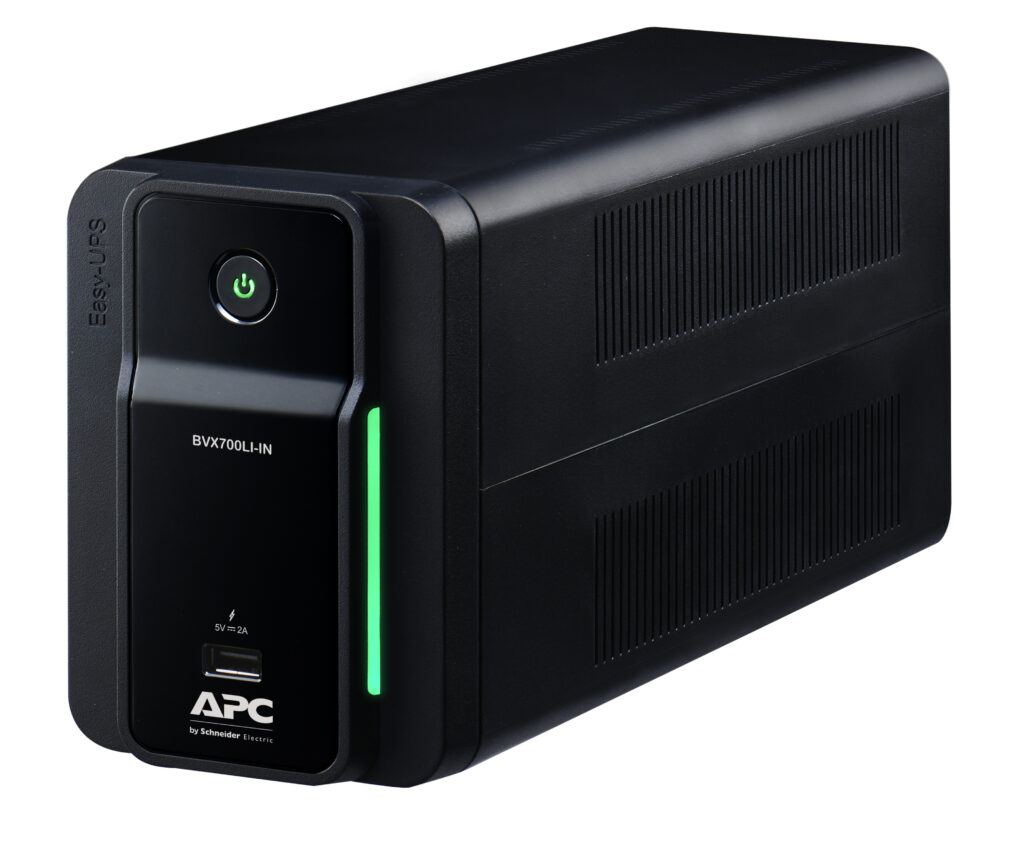
- APC Back-UPS — for home & small officeLine-interactive UPS for desktops, Wi-Fi routers, CCTV and billing machines.
- APC Smart-UPS & online UPSDouble-conversion, pure sine-wave power for servers, racks and critical loads.
- APC UPS battery replacement guideModel-by-model chart of which APC RBC cartridge your UPS takes.
What size UPS do I need? »Find the battery for my UPS »Ask us on WhatsApp
Related guides
- APC Smart-UPS SRT vs SMT vs SMC: Which One Is Actually Online? (India Buying Guide 2026)
- How Long Will Your APC Smart-UPS Online Really Last? Runtime vs Load Guide for Indian Server Rooms (2026)
- APC Smart-UPS Online Running Costs in India: Double-Conversion Efficiency, ECO Mode & Electricity Bills Explained (2026)
- Hardwired or Plug-In? APC Smart-UPS Input/Output Connections Explained Before You Buy (India 2026)
- Do You Need an Isolation Transformer with Your APC Online UPS? (India Buying Guide 2026)
All UPS & power-backup guides · APC battery replacement chart · APC UPS dealer in your city