
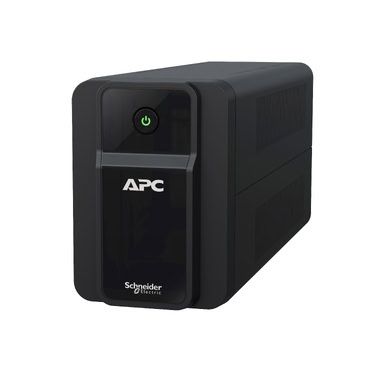
If you work on a laptop, it’s tempting to think you’re already covered during a power cut — after all, the laptop has its own battery. But ask anyone who’s lost Wi-Fi mid-call or watched their broadband router go dark the moment the mains fails, and you’ll understand why an APC Back-UPS for laptop setups is still one of the most common purchases in Indian homes and small offices. The real question isn’t whether your laptop needs power — it’s what around your laptop stops working the second the lights go out.
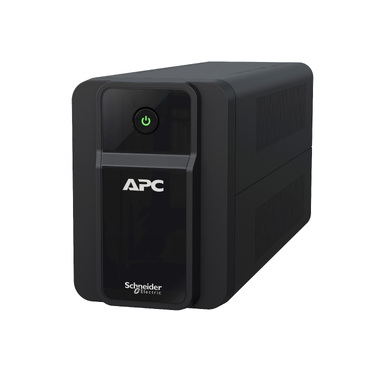
Why a Laptop’s Built-in Battery Isn’t Enough
A laptop battery protects the laptop itself — nothing else. During a power cut in most Indian cities and towns, the following stop instantly unless they’re on backup:
- Your Wi-Fi router and ONT/modem — no internet even if the laptop has charge
- An external monitor, if you use one with your laptop
- A USB dock, external hard drive, or printer
- A desk lamp or table fan you rely on for continued work
- CCTV or a smart-home hub, if the same circuit powers them
This is why so many WFH users end up buying a UPS even though
Shop what this guide covers
- APC Back-UPS — for home & small officeLine-interactive UPS for desktops, Wi-Fi routers, CCTV and billing machines.
What size UPS do I need? »Find the battery for my UPS »Ask us on WhatsApp
Related guides
- AVR in Your APC Back-UPS vs a Separate APC Line-R Stabilizer: Do You Need Both? (India 2026 Guide)
- How Many Hours of Backup Do You Need? Matching Your APC Back-UPS to India’s Power Cut Patterns (2026 Guide)
- APC Back-UPS vs Home Inverter: Which Should You Buy for Power Backup in India? (2026 Guide)
- How Long Can an APC Back-UPS Power Your Wi-Fi Router & CCTV During a Long Power Cut? (India 2026 Sizing Guide)
- APC Back-UPS Model Numbers Decoded: What BX, BV, BR & BVX Codes Mean Before You Buy (India 2026)
All UPS & power-backup guides · APC battery replacement chart · APC UPS dealer in your city