
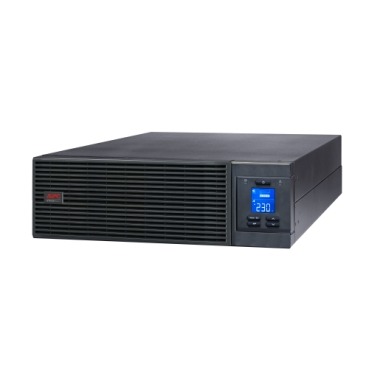
If you’re speccing an APC Smart-UPS or Easy-UPS Online for a server room, data closet, or critical business load in India, you’ll eventually hit a question that most first-time buyers overlook: do you need a maintenance bypass switch (MBS)? It sounds like a minor accessory, but for businesses that can’t afford to power down servers even for battery replacement or annual servicing, it’s one of the most important decisions in the whole purchase. This guide explains what an MBS actually does, when it’s genuinely necessary, and when you can safely skip it.

What Is a Maintenance Bypass Switch, Exactly?
An APC online UPS normally protects your load through double-conversion — incoming AC is converted to DC, stored/regulated, then converted back to clean AC before reaching your servers. A maintenance bypass switch is a manual (or automatic) switch that routes raw mains power directly to your connected equipment, completely bypassing the UPS electronics.
This lets a technician physically service, repair, or swap the UPS or its batteries while your servers keep running on unconditioned mains power — instead of forcing a shutdown. It’s essentially an escape hatch that keeps critical loads alive during UPS downtime, at the cost of temporarily losing power protection.
Why This Matters More in India Than You’d Think
Indian server rooms and small data centres deal with two realities that make bypass switches genuinely useful rather than a paper spec:
- Frequent grid instability means UPS units in India work harder and need more frequent battery replacement and servicing than in more stable grids.
- Single-UPS setups are common in SMBs — without N+1 redundancy, any UPS downtime for battery swap or firmware update means either full server shutdown or a bypass switch.
If your business runs billing systems, EPABX, NAS storage, or a small server rack that genuinely cannot go offline during business hours, an MBS-equipped setup (or an external bypass panel) removes that risk during scheduled maintenance.
Internal vs External Bypass — What’s the Difference?
| Type | How It Works | Best For |
|---|---|---|
| Built-in internal bypass | Most APC online UPS units (SRT, SRV, Galaxy series) auto-switch to internal bypass on overload or fault — no separate hardware needed | Automatic fault protection, everyday overload events |
| External Maintenance Bypass Panel (MBP) | Separate wall/rack-mounted switchgear installed between mains, UPS, and load — manually operated by a technician | Full UPS removal, battery replacement, servicing without any load interruption |
| No bypass at all | UPS must be shut down for any internal service; load loses power protection during that window | Small single-UPS setups where brief planned downtime is acceptable |
When You Actually Need a Bypass Switch
- Your server room runs 24×7 with zero acceptable downtime window (e-commerce backend, hospital records, banking-adjacent systems).
- You’re running a single online UPS without N+1 redundancy — no second unit to take over during service.
- Your UPS is above roughly 6–10 kVA, where battery replacement or unit servicing typically takes longer and involves multiple technicians.
- Your AMC or extended warranty terms require periodic onsite servicing, and you want that servicing to happen without a maintenance window.
When You Can Safely Skip It
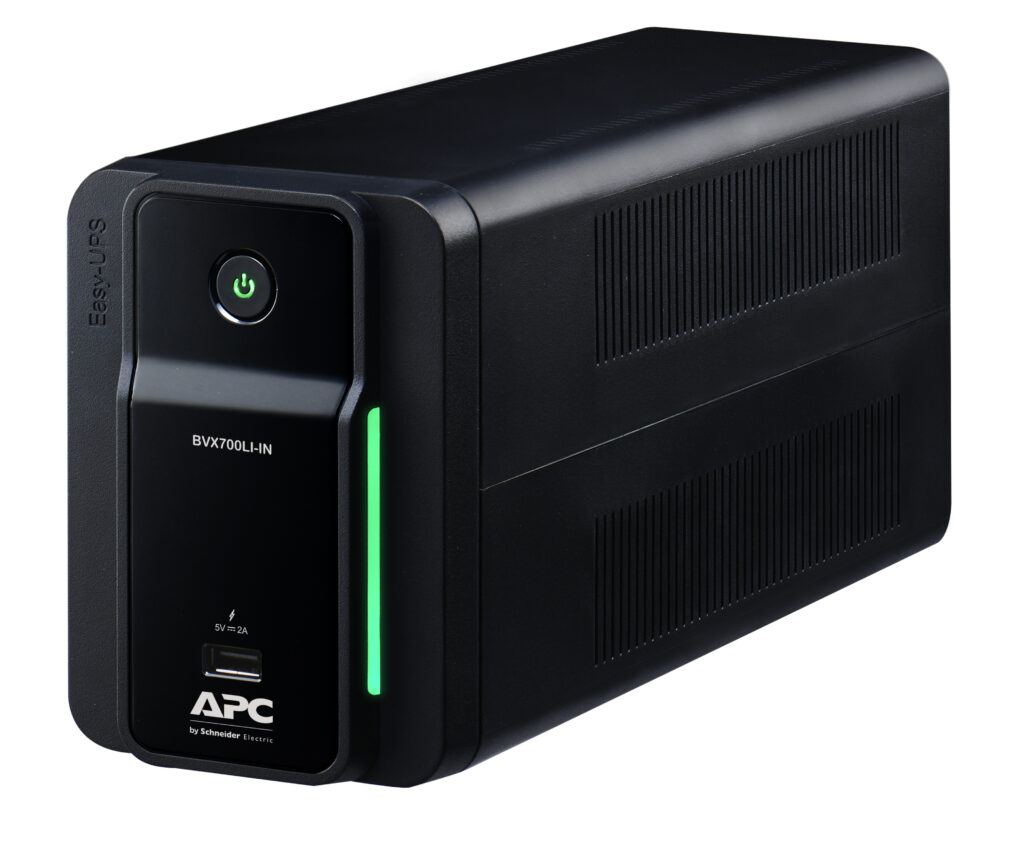
If you’re running a small office setup — a couple of desktops, a NAS, and networking gear — on a single UPS under 3 kVA, an MBS is usually unnecessary overhead. Planned downtime of 15–20 minutes for a battery swap during off-hours is a reasonable trade-off against the added cost and installation complexity of external bypass switchgear. In these cases, a well-sized line-interactive UPS or a compact online unit without external bypass hardware is perfectly adequate.
How to Buy the Right Setup
When you’re speccing a server-room UPS in India, decide on your bypass requirement before you request a quotation — it changes the panel, wiring, and installation cost, not just the UPS price. Browse the full range of APC online UPS systems to shortlist models by kVA and form factor, then build a formal, itemised quotation instantly — including the UPS, any bypass panel, and GST — through our online quotation builder, without waiting on a salesperson callback. If your servicing plan depends on regular technician visits, it’s also worth pairing your purchase with an extended warranty pack that covers onsite support.
Frequently Asked Questions
Does every APC Smart-UPS or Easy-UPS Online come with a bypass switch built in?
Most APC online units include an automatic internal bypass that kicks in during overload or internal fault conditions. A dedicated maintenance bypass panel for planned servicing, however, is usually a separate accessory or installation, particularly on larger rack and tower models.
Can I add a maintenance bypass switch after buying my UPS?
Yes, external bypass panels can generally be retrofitted, but it’s more cost-effective and cleaner to plan for it at the time of installation, since wiring and panel placement need to be designed around it.
Does a bypass switch protect my equipment during a power cut?
No — bypass mode passes raw mains power straight through, with no battery backup or voltage regulation. It’s meant purely for maintenance windows, not for protecting equipment during outages or voltage swings.
Is a bypass switch necessary for a home office UPS?
No. Bypass switches are a server-room and business-critical-load feature. A standard home or small-office APC UPS is fine without one — brief downtime for battery service is not usually a business risk at that scale.
Shop what this guide covers
- UPS AMC & Preventive MaintenanceScheduled preventive visits, battery health checks and priority response for business-critical power.
- APC Back-UPS — for home & small officeLine-interactive UPS for desktops, Wi-Fi routers, CCTV and billing machines.
- APC Smart-UPS & online UPSDouble-conversion, pure sine-wave power for servers, racks and critical loads.
- APC extended warranty packsExtend cover on your UPS by 1 to 3 years, registered to your serial number.
What size UPS do I need? »Find the battery for my UPS »Ask us on WhatsApp
Related guides
- Standard Runtime vs Long Runtime APC Smart-UPS Online: Which Should You Buy for Your Server Room? (India 2026)
- Is Your Server Room Ready for an APC Online UPS? A Site-Readiness Checklist (India 2026)
- Zero Transfer Time: Why It Matters When Buying an APC Online UPS for Your Server (India 2026)
- How Long Will Your APC Smart-UPS Online Really Last? Runtime vs Load Guide for Indian Server Rooms (2026)
- Where Should You Install Your APC Online UPS? Noise, Heat & Space Checklist Before You Buy (India 2026)
All UPS & power-backup guides · APC battery replacement chart · APC UPS dealer in your city