

Most Indian homes make the same sizing mistake twice: they either buy one large APC Back-UPS and try to run the whole house off it, or they buy a separate unit for every single device and end up overspending on wiring and battery replacements. The right approach is to think room by room — what genuinely needs backup, how long it needs to run, and whether one central unit or two smaller ones will serve you better. This guide walks through that decision so you buy exactly what your home needs, not more.

Start With a Room Audit, Not a Wattage Guess
Before deciding on units, list what actually needs power continuity during an outage. Most Indian homes fall into three zones:
- Work/study room: desktop or laptop, monitor, Wi-Fi router, desk lamp.
- Living room / entrance: Wi-Fi router, CCTV NVR/DVR, broadband ONT, doorbell camera.
- Bedroom or utility area: Fan, a few LED lights, mobile chargers (usually handled by an inverter, not a UPS).
Notice that only the first two zones need the instant, zero-break switching a UPS provides — routers, cameras and desktops crash or reboot on even a short power blip, while fans and lights just need any backup, which an inverter handles more cheaply per hour of runtime.
Option 1: One Central Back-UPS for the Whole Ground Floor
If your router, CCTV recorder and desktop are all within a room or two of each other, a single mid-to-large capacity unit is usually more economical than multiple small ones. An 1100VA or 1500VA line-interactive UPS can comfortably power a router, NVR and desktop together, provided you don’t add heavy loads like a printer or monitor beyond its rated capacity.
| Zone Covered | Typical Load | Recommended Back-UPS | Approx. Backup Time |
|---|---|---|---|
| Router + CCTV only | 15-40W | Back-UPS 600VA | 3-6 hours |
| Desktop + monitor + router | 120-180W | Back-UPS 1000VA | 25-40 minutes |
| Desktop + router + CCTV combined | 180-260W | Back-UPS 1100VA/1500VA | 20-30 minutes |
| Gaming/workstation PC alone | 250-400W | Back-UPS Pro 1500VA (BR) | 10-18 minutes |
Notice the desktop drops backup time sharply compared to router/CCTV alone — a PC’s power supply, monitor and peripherals draw far more continuous wattage than a small networking box.
Option 2: Two Smaller Units, Split by Purpose
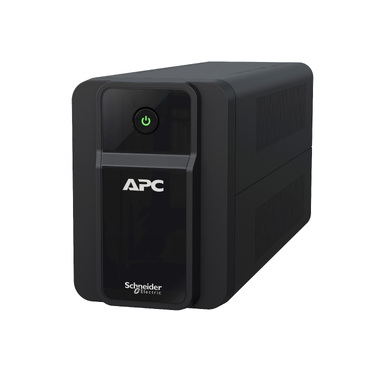
Splitting into two dedicated units makes sense when the router/CCTV setup and the desktop are in different rooms, or when you want the network to stay up even if the PC’s UPS battery is old and due for replacement. A common, cost-effective combination in Indian homes is:
- A 600VA Back-UPS dedicated purely to the router, ONT/modem and CCTV DVR near the entrance or living room — this is a very light, steady load so a small unit can deliver several hours of runtime.
- A 1000VA or 1100VA Back-UPS in the study for the desktop, monitor and desk lamp.
This split also protects you against a single point of failure — if the desktop’s UPS battery weakens, your internet and cameras still stay live on their own unit.
When One Unit for Everything Doesn’t Make Sense
Avoid trying to run a desktop, printer, router, CCTV and a small fan off one 600VA or 850VA unit — you’ll trip the overload alarm and get very short runtime on everything. Also avoid daisy-chaining a UPS through long extension cords across rooms; voltage drop and cable losses reduce efficiency and can trigger nuisance transfers. If your home has more than two zones needing backup (say, a home office plus a shop-cum-residence setup), it’s more reliable to size two or three separate line-interactive units than one oversized central UPS with a maze of wiring.
Battery Life and Long-Term Cost
Every extra unit means an extra battery to replace every 3-4 years. Before adding a third or fourth UPS
Shop what this guide covers
- APC Back-UPS — for home & small officeLine-interactive UPS for desktops, Wi-Fi routers, CCTV and billing machines.
What size UPS do I need? »Find the battery for my UPS »Ask us on WhatsApp
Related guides
- APC Back-UPS Features Decoded: LCD, AVR & USB Monitoring — What Actually Matters Before You Buy (India 2026)
- APC Back-UPS vs APC Easy-UPS BVX: Should You Buy a Lithium-Ion UPS for Home or Office in India? (2026)
- How Many Times Can You Extend Your APC UPS Warranty? Maximum Coverage Period Explained (India 2026)
- How Long Can an APC Back-UPS Power Your Wi-Fi Router & CCTV During a Long Power Cut? (India 2026 Sizing Guide)
- APC Back-UPS Model Numbers Decoded: What BX, BV, BR & BVX Codes Mean Before You Buy (India 2026)
All UPS & power-backup guides · APC battery replacement chart · APC UPS dealer in your city