
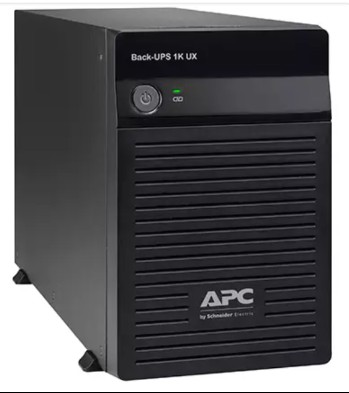
If you work from home in India, your desk has become a mini command centre: a desktop or laptop dock, dual monitors, a Wi-Fi router, an ONT/modem, and often a webcam or small NAS. When the power blinks — which it still does across most Indian cities — you don’t just lose a few minutes, you lose an active client call, an unsaved spreadsheet, or a live upload. Picking the right APC Back-UPS for this setup isn’t about buying the biggest box; it’s about matching the VA/watt rating to your real load and getting the runtime you actually need to either keep working or shut down safely. Here’s a practical, India-specific guide for 2026.

Step 1: Add up your real load in watts (not VA)
Everyone quotes VA, but your equipment is rated in watts. Estimate the actual power draw of each device — this is what determines how long the UPS will run.
- Desktop PC (mid-range): 120–200 W
- Gaming/workstation PC: 250–450 W
- Laptop + dock: 40–90 W
- Monitor (24–27″, each): 25–45 W
- Wi-Fi router + ONT/modem: 10–25 W combined
- Small NAS / external drive: 20–40 W
A typical WFH desk — desktop + monitor + router + modem — lands around 200–280 W. Add up your numbers before you shop.
Step 2: Convert watts to VA (and leave headroom)
APC Back-UPS models are labelled by VA. A rough rule for these line-interactive units is that usable watts are about 0.6 of the VA rating (the power factor). So a 1100VA Back-UPS delivers roughly 660 W maximum. Never load a UPS beyond ~70% of that limit — it keeps the unit cool, protects battery life, and gives you a runtime buffer.
| APC Model | VA | Approx. usable W | Best for |
|---|---|---|---|
| Back-UPS BX600 | 600 | ~330 | Router + modem + CCTV, or a light laptop desk |
| Back-UPS BX1000 / BX1100 | 1000–1100 | ~600–660 | Single desktop + monitor + network gear |
| Back-UPS Pro BR1000 | 1000 | ~600 (pure sine wave) | Sensitive PCs, active PFC power supplies |
| Back-UPS Pro BR1500 | 1500 | ~900 (pure sine wave) | Workstation/gaming PC + dual monitors + gear |
Step 3: Decide how much runtime you actually need
Indian outages fall into two buckets: brief flickers (seconds to a couple of minutes) and longer cuts. A home UPS realistically gives you 10–25 minutes at a normal WFH load — not hours. That’s enough to ride through short interruptions and to save your work and shut down cleanly during longer ones. If you need to keep working through frequent long cuts, you’re looking at an inverter or a lithium higher-capacity backup unit, not a standard Back-UPS.
Want to keep just your router, modem and CCTV alive for hours during a cut so you never lose internet or camera coverage? A small BX600 sipping 15–20 W can run for a long time and is the cheapest way to stay connected.
Step 4: BX or BR — do you need pure sine wave?
The BX series outputs a stepped/simulated sine wave; the BR (Back-UPS Pro) series outputs a true pure sine wave. For a basic desktop and network gear, BX is fine. But if you have a modern PC with an active PFC power supply, a high-end workstation, or audio/networking equipment that’s fussy about waveform, the BR series avoids buzzing, random shutdowns, and stress on the power supply. Browse the full range of APC line-interactive Back-UPS models to compare BX and BR side by side.

Step 5: Match the UPS to your specific desk
- Laptop + router only: BX600 is plenty and very economical.
- One desktop + monitor + router/modem (~250 W): BX1000 or BX1100 is the sweet spot.
- Desktop with active-PFC supply, or you hear buzzing on a BX: step up to BR1000.
- Workstation/gaming PC + dual monitors + peripherals (400 W+): BR1500 for headroom and pure sine wave.
Step 6: Plan for the battery from day one
The battery inside any Back-UPS is a consumable. In Indian conditions — heat, frequent cycling — expect a genuine replacement around the 3–5 year mark. Note down your model’s RBC (Replacement Battery Cartridge) number now so you can order the exact match later instead of scrambling. Always buy genuine APC RBC replacement battery cartridges to keep rated runtime and warranty intact.
Frequently Asked Questions
Can one Back-UPS power my PC, router and CCTV together?
Yes, as long as their combined watts stay under ~70% of the unit’s usable capacity. A BX1000/BX1100 comfortably handles a desktop, monitor, router and modem. If you want CCTV to keep recording for hours during long cuts, consider a dedicated small UPS for the low-power network/camera load so the big PC load doesn’t drain the battery.
How long will an APC Back-UPS run my WFH setup?
At a typical 200–280 W load, expect roughly 10–20 minutes from a 1000–1100VA unit — enough to ride out flickers and shut down safely. Lighter loads (just a laptop and router) can run much longer. Back-UPS units are designed for bridging and safe shutdown, not all-day operation.
Is a 600VA UPS enough for working from home?
Only for a light setup — a laptop and network gear. A single desktop with a monitor will overload a 600VA unit and give very short runtime. For desktop users, start at 1000VA (BX1000/BX1100).
Should I buy BX or BR for my home office?
Choose BX for a standard desktop and network devices on a budget. Choose BR (pure sine wave) if you have a modern active-PFC power supply, a high-performance workstation, or you notice buzzing/shutdowns on a stepped-wave UPS.
Bottom line: total your watts, add ~40% headroom, pick BX for standard desks and BR for sensitive or high-power PCs, and note your RBC number for future battery swaps. Do that and your work-from-home setup will ride out India’s power hiccups without a dropped call or a lost file.
Shop what this guide covers
- APC BR1500G-IN battery replacementThe correct RBC144 cartridge for the BR1500G-IN (1500VA).
- Genuine APC RBC replacement batteriesFactory-sealed APC Replacement Battery Cartridges with full manufacturer warranty.
- APC Back-UPS — for home & small officeLine-interactive UPS for desktops, Wi-Fi routers, CCTV and billing machines.
What size UPS do I need? »Find the battery for my UPS »Ask us on WhatsApp
Related guides
- How Long Can an APC Back-UPS Power Your Wi-Fi Router & CCTV During a Long Power Cut? (India 2026 Sizing Guide)
- APC Back-UPS vs APC Easy-UPS BVX: Should You Buy a Lithium-Ion UPS for Home or Office in India? (2026)
- Sizing an APC Line-R Stabilizer for Refrigerators, ACs & Pumps: Why Starting Surge Matters More Than Running Watts (India 2026)
- APC Back-UPS Model Numbers Decoded: What BX, BV, BR & BVX Codes Mean Before You Buy (India 2026)
- Ideal Load Percentage for Your APC Back-UPS: How Much Headroom Should You Buy in 2026? (India Guide)
All UPS & power-backup guides · APC battery replacement chart · APC UPS dealer in your city